TikTok Marketing API Guide for App Founders
Understand the TikTok Marketing API for app ads, reporting, access, creative testing, and when organic TikTok tools fit better.
The TikTok Marketing API is for managing paid TikTok advertising workflows: campaigns, ad groups, ads, creatives, and reporting. It is not an organic TikTok posting tool, and it will not create viral app demos for you. For app founders, the API makes sense when paid campaign operations or reporting get too repetitive to run by hand.
What the TikTok Marketing API is — and what it is not
The TikTok Marketing API lets advertisers manage paid TikTok ads programmatically. Instead of clicking through TikTok Ads Manager, your system can create campaigns, set up ad groups, manage creatives, change budgets, and pull performance reports.
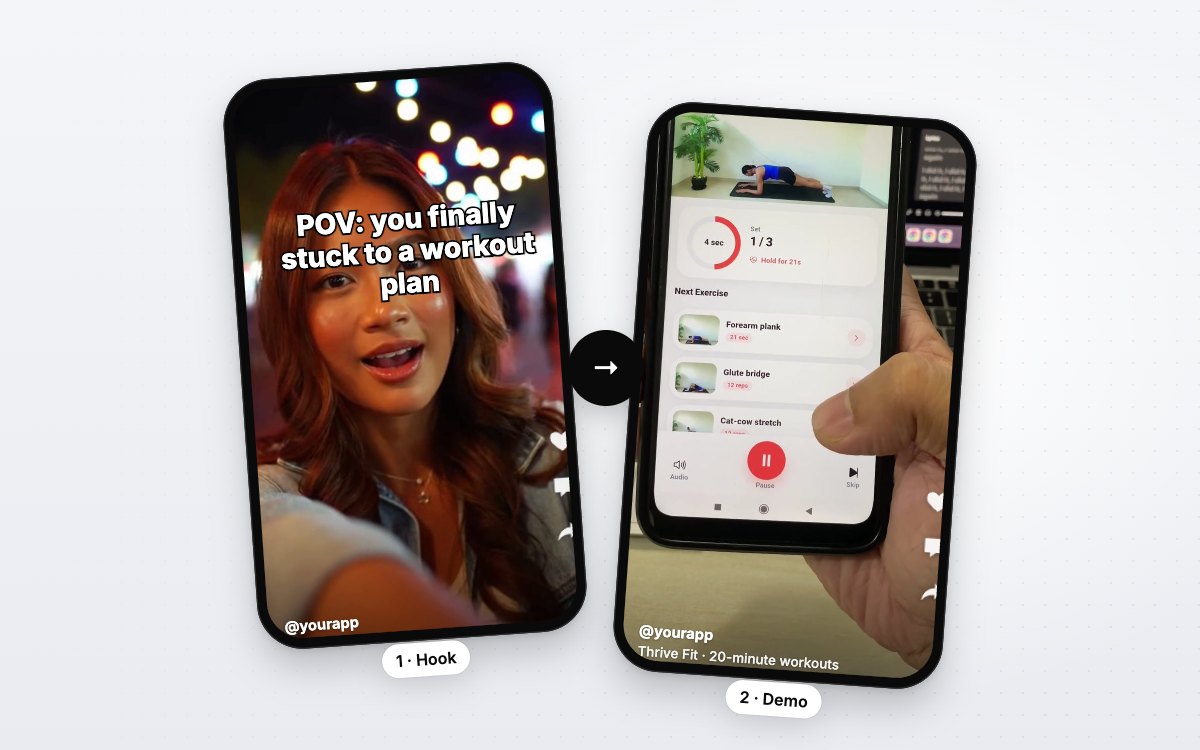
The key distinction: it is not the same thing as an organic TikTok content creation tool. It is not a general-purpose way to post viral videos. It is part of your paid acquisition stack.
For app marketers, use the Marketing API when you need to run or measure paid app campaigns at scale. Use an organic TikTok workflow when you need more app demos, hooks, slideshows, and daily posts. ClipsPilot is TikTok-only and creates and posts TikTok content for app founders and marketers, but it is not a TikTok Marketing API provider.
Decision table
| Goal | Better fit |
|---|---|
| Create 30 paid TikTok ad groups for a budgeting app across US/UK/CA | TikTok Marketing API |
| Post one Hook & Demo TikTok every weekday showing the app | ClipsPilot or TikTok scheduler |
| Pull daily spend, installs, CPI, and trial-start cost into a dashboard | TikTok Marketing API reporting |
| Generate fresh hook text for organic app demo videos | ClipsPilot Autopilot or the free /tiktok-hook-generator |
When an app founder actually needs the TikTok Marketing API
Most early-stage app founders do not need an API on day one. They need validated creatives, clear app events, and a repeatable testing plan. If you do not know which hooks, demos, or value propositions work on TikTok, automation will only help you scale confusion.
The API becomes useful when you have many campaigns, many countries, many creatives, frequent budget changes, automated reporting, or an internal growth dashboard. Examples: a subscription fitness app testing trial-start CPA by country, a productivity app testing different hook angles, or a mobile game tracking tutorial-complete rates.
Illustrative threshold example: A language-learning app wants to test 4 hooks × 3 demo clips × 2 countries × 2 audiences = 48 ad variations. Manually building and naming 48 ads is error-prone; using the Marketing API for creation and reporting starts to make sense. If the same app is only posting 5 organic TikToks per week, it does not need the Marketing API for that workflow.
Access checklist: what you need before building on the TikTok Marketing API
At a practical level, expect to need TikTok for Business setup, an advertiser account, developer or app access, authentication, permissions or scopes, and the correct account IDs. Your engineer will also need an OAuth flow, token refresh handling, and a safe place to store credentials.
App marketers need measurement infrastructure before API automation is valuable. That means app event tracking, attribution setup, and a definition of the conversion event that matters. Do not build reporting around installs if the business depends on trial starts or purchases.
Only collect the data you need. Store tokens securely. Do not build around unofficial scraping or undocumented endpoints. API access and permissions can vary by account, region, product eligibility, and TikTok approval process, so use the current TikTok developer documentation for implementation details.
Pre-build checklist:
- TikTok Business account created.
- Advertiser account ID confirmed.
- Developer app created or partner access arranged.
- OAuth flow planned.
- Required permissions listed: campaign management and/or reporting.
- App attribution source connected, such as an MMP or TikTok-supported app events setup.
- Primary event chosen: install, sign-up, trial start, purchase, or activated user.
- Token storage and refresh plan assigned to an engineer.
The app campaign structure to automate: campaign, ad group, ad, creative, event
Translate API objects into your growth system. Campaign = objective and budget container. Ad group = audience, placement, bid or budget, and schedule. Ad = creative and copy. Event = the app action used for optimization or measurement.
Use names that make reporting readable without opening TikTok Ads Manager. Structure campaigns around lifecycle stages: install, onboarding completion, free-trial start, subscription purchase, or reactivation.
Keep tests clean. Do not change hook, demo, audience, and landing destination all at once. If performance changes, you will not know why.
Naming convention example for a subscription app:
- Campaign:
TT_APPPROMO_iOS_US_TrialStart_2026-02 - Ad group:
Broad_18-34_AutoPlacements_LowestCost - Ad:
Hook-Procrastination_Demo-Calendar_Caption-v2 - Creative label:
H1: stop planning your day in notes | Demo: drag task to calendar | CTA: start free trial - Primary event:
trial_start - Secondary events:
install,signup,subscribe
Reporting: the TikTok Marketing API metrics app marketers should pull every day
Pull app-growth metrics, not vanity metrics. Start with spend, impressions, clicks, CTR, installs, cost per install, sign-ups, trial starts, purchases, CPA, revenue, and ROAS where available.
Install volume can mislead you. Cheap installs are useless if users do not activate, start a trial, or subscribe. Your daily report should group results by creative angle, hook, demo clip, country, operating system, and event. For organic measurement context, see the app download path in /blog/app-downloads-tiktok-without-ads.
Use formulas founders can verify in a spreadsheet:
- CTR = clicks / impressions
- CPI = spend / installs
- Cost per sign-up = spend / sign-ups
- Cost per trial = spend / trial starts
- ROAS = revenue / spend
Illustrative reporting table:
| Creative angle | Spend | Clicks | Installs | Sign-ups | Trial starts | Decision |
|---|---|---|---|---|---|---|
AI meal plan in 10 seconds |
$240 | 1,200 | 180 | 90 | 27 | Keep testing if target trial-start cost is below $10; pause if 3-day average rises above $14 |
CPI = $240 / 180 = $1.33. Cost per sign-up = $240 / 90 = $2.67. Cost per trial = $240 / 27 = $8.89.
Creative still matters: the API will not solve your TikTok content problem
The TikTok Marketing API can scale campaign operations, but it does not automatically create persuasive TikTok-native app creatives. Your creative loop still matters.
Organic TikToks can reveal hooks and demos people care about. The best concepts can then inform paid creative tests. App formats that feed this loop include Hook & Demo, slideshow listicles, demo videos with captions, and short problem/solution clips. See the full structure in /blog/hook-and-demo-videos.
ClipsPilot creates and posts TikTok content for app founders and marketers. Its Autopilot formats include Slideshow Autopilot, Hook & Demo, Fade In/Out, and Video + caption. Posts can go live or to TikTok drafts.
Sample organic-to-paid creative:
- Hook text:
I stopped forgetting subscriptions after building this tiny app. - Demo script: 0–2s show hook over home screen; 2–6s tap
Add subscription; 6–10s show reminder date; 10–13s show monthly total; 13–15s caption overlay:Know what renews before it charges you. - Caption:
If your free trials keep turning into surprise payments, this is the workflow I built for myself. - Paid test label:
Hook: subscription pain | Demo: add reminder | Event: trial_start
Build vs buy: should you use the TikTok Marketing API, Ads Manager, or ClipsPilot?
Use TikTok Ads Manager manually for small paid tests. Use the Marketing API when campaign creation or reporting is too repetitive. Use ClipsPilot when the bottleneck is making and posting more TikTok content.
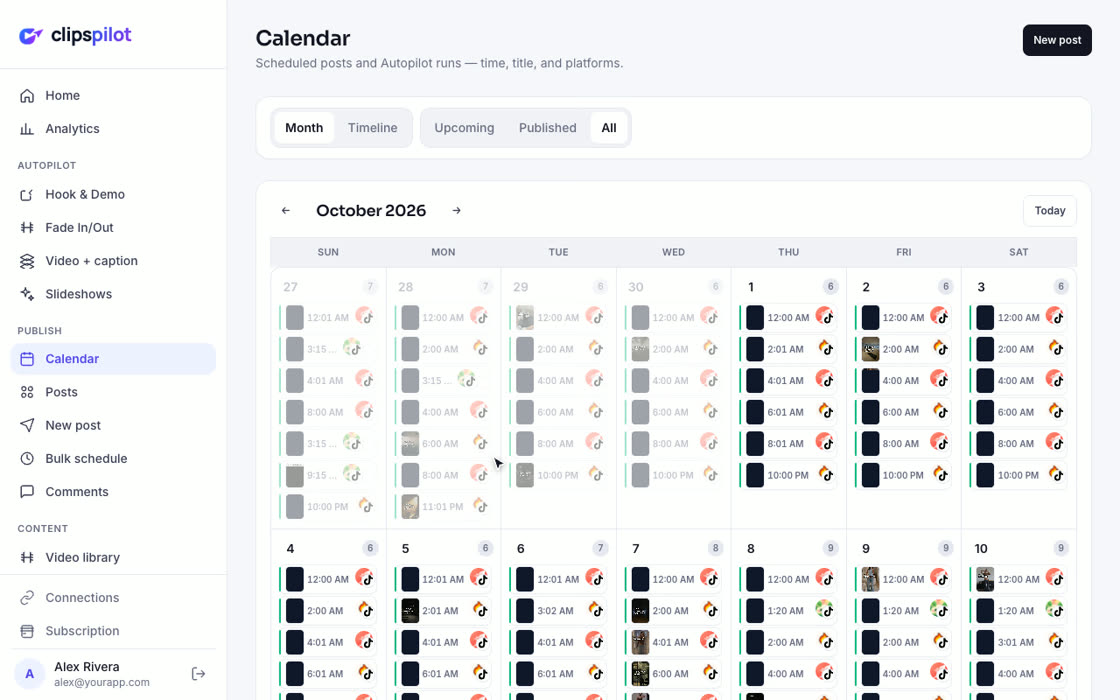
ClipsPilot is not a multi-platform social media tool. It is TikTok-only, which matters if your app team is focused specifically on TikTok. Users can connect several TikTok accounts, set Autopilots with hook direction, schedule, days, times, timezone, and send posts live or to drafts for review. See the workflow on /tiktok-automation.
Keep the systems separate but connected: organic posting finds angles; paid campaigns test and scale them; API reporting shows cost by event.
30-day app marketing operating plan:
- Week 1: post 2 organic TikToks per day testing 5 hook directions for a habit-tracker app.
- Week 2: review saves, profile visits, and comments; pick the top 3 hooks.
- Week 3: turn those hooks into paid creative tests in TikTok Ads Manager or via the Marketing API if there are many variants.
- Week 4: pull daily API reporting by hook and event; keep organic posting running with fresh Hook & Demo and slideshow variations.
For a broader organic plan, read /blog/how-to-market-your-app-on-tiktok.
Implementation pitfalls that break TikTok Marketing API projects
The common failures are predictable: unclear conversion event, messy campaign names, expired tokens, reporting delays, no creative labels, changing too many variables, and optimizing for installs instead of activated users.
Do app-specific QA. Confirm that the event sent from the app matches the event used in TikTok reporting. Separate iOS and Android when performance differs. Do not automate around policies, reviews, or platform restrictions. Automation should make compliant workflows faster, not bypass TikTok rules.
Start with a small pilot before a full build: one campaign, two ad groups, four creatives, one country, one event, and one daily report.
Pilot QA checklist:
- Can the script read advertiser account info?
- Can it create or identify the right campaign?
- Are ad group budgets and dates correct?
- Are creative names human-readable?
- Is the selected app event visible in reports?
- Do totals match TikTok Ads Manager within expected reporting windows?
- Can the team pause a losing ad automatically or manually?
- Is there a rollback plan if the API job creates the wrong structure?
FAQ
What is the TikTok Marketing API used for?
It is used to manage paid TikTok advertising workflows programmatically, including campaign creation, ad group setup, creative management, budget changes, and reporting.
Is the TikTok Marketing API for organic posting or paid ads?
It is for paid ads. Organic TikTok posting uses different workflows and tools. Do not confuse ad automation with organic content creation.
Can I use the TikTok Marketing API to promote a mobile app?
Yes. App marketers can use it for app promotion campaigns, reporting, and event-based analysis, assuming the required account access, permissions, and measurement setup are in place.
Do I need the TikTok Marketing API if I am an early-stage app founder?
Usually not at first. Start with clear app events, organic creative testing, and small paid tests in Ads Manager. Use the API when volume and reporting become repetitive.
Can the TikTok Marketing API create TikTok videos for me?
No. It can help manage paid ad workflows, but it does not solve the creative problem. You still need TikTok-native hooks, demos, captions, and app-focused creative concepts.