TikTok slideshow maker.
AI writes the slides. Autopilot posts them.

Give ClipsPilot a topic and your photos. It writes the hook and every slide, puts a different photo behind each one, and posts it to TikTok as a native photo carousel, every day.

7-day free trial on every plan · Plans from $19/month

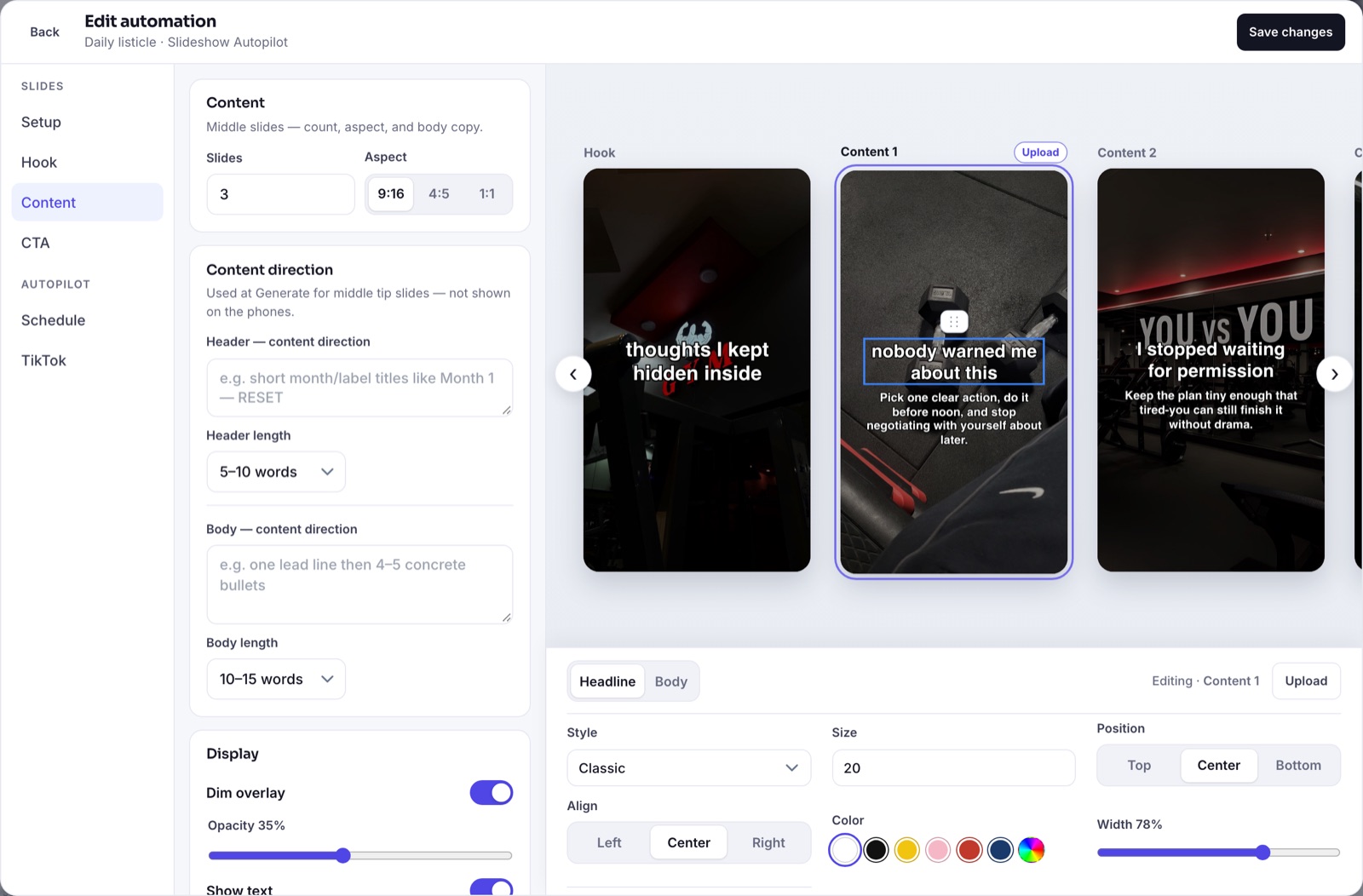
Slideshow content settings with slide count, aspect ratio and the text style bar

AI copy

A new listicle every day

Describe the kind of slideshow you want once. Each run, AI writes a fresh hook slide, the tip slides and an optional slide that mentions your app.

  • Set a direction and length for the hook and the tips
  • Choose how many slides and the aspect ratio: 9:16, 4:5 or 1:1
  • Add a soft call-to-action slide for your app, or leave it out
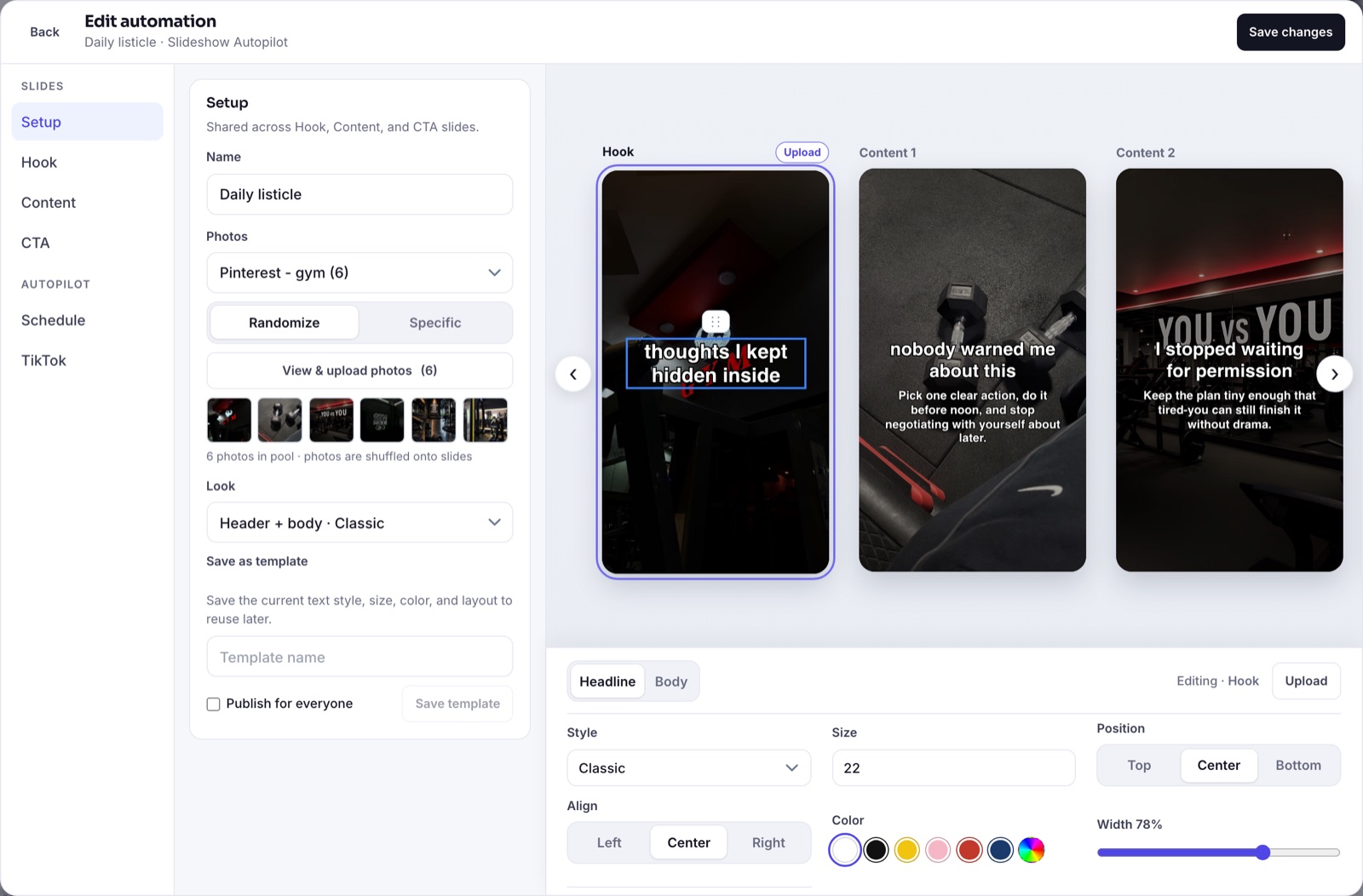
Slideshow Autopilot setup with a photo collection, shuffled photos and a text look

Your photos, your look

Readable text on every slide

Pick a photo collection and ClipsPilot shuffles a different photo onto each slide. Text style, size, color, position and a dim overlay keep every slide readable.

  • Photos rotate so slideshows don’t repeat
  • Ready-made looks, or set your own style
  • Live preview of every slide before it posts
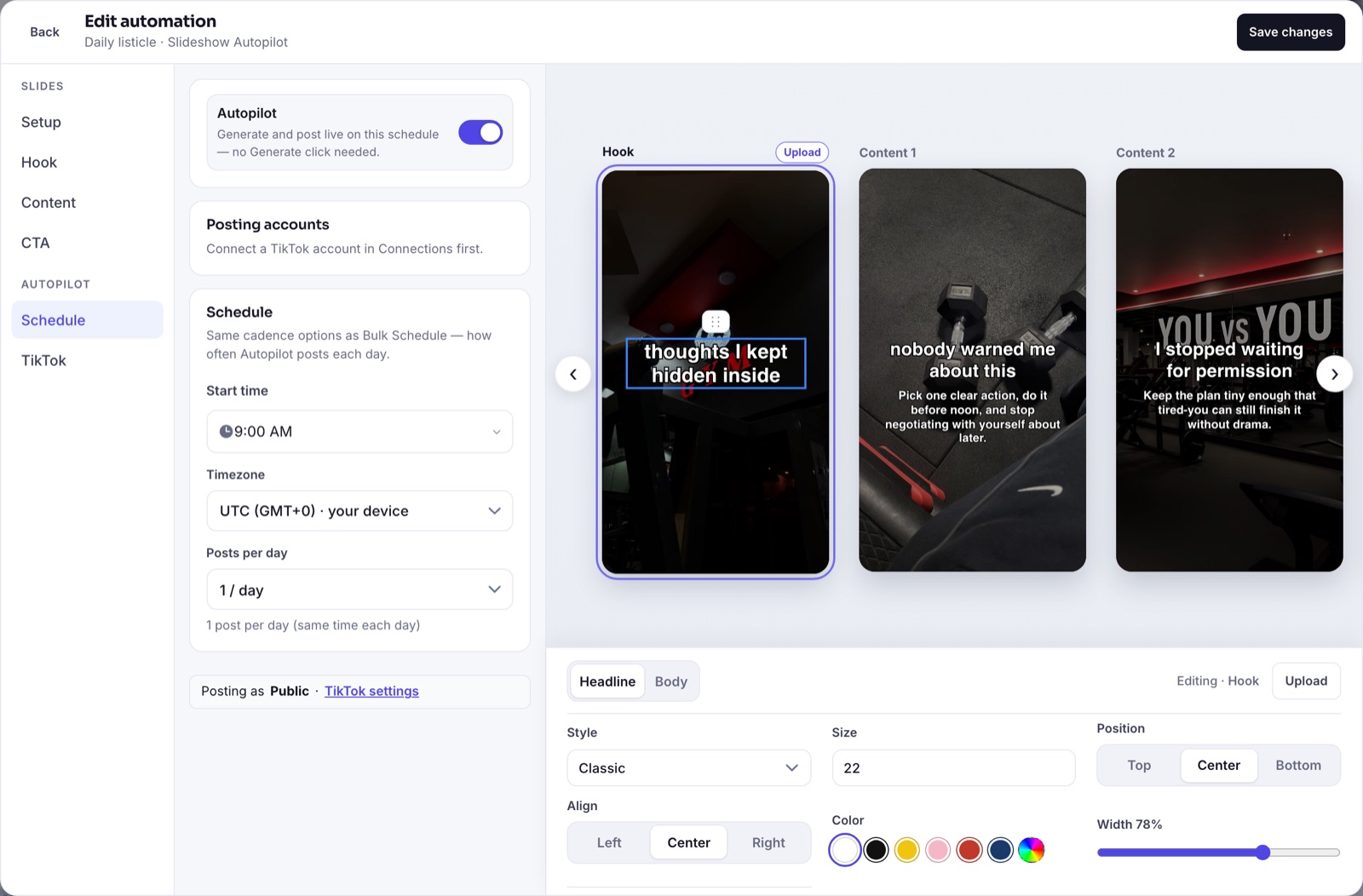
Slideshow Autopilot schedule with start time, timezone and posts per day

Autopilot

Posts itself on your schedule

Choose a start time, your audience’s timezone and how many slideshows a day. Autopilot creates and posts each one, or sends it to your TikTok drafts to review first.

  • Posts as a native TikTok photo carousel
  • One to several slideshows a day, per account
  • Every upcoming run shows on the calendar

Make your first slideshow in minutes

  1. Add your photos

    Create a photo collection for the look you want: gym, travel, desk setups, anything that fits your app.

  2. Set the topic and style

    Tell AI what the slideshows are about, pick a text look and preview the slides.

  3. Turn on Autopilot

    Connect TikTok, set the schedule, and new slideshows post every day.

Common questions

Does it post as a real TikTok photo slideshow?

Yes. ClipsPilot publishes through TikTok’s official API as a native photo post, so viewers swipe through it like any other carousel in the feed.

Can I check slideshows before they go live?

Yes. Turn on “Send to TikTok as Draft” and each slideshow lands in your TikTok drafts, where you can edit it, add a sound and publish it yourself.

Do I need my own photos?

You add a photo collection that matches your niche. ClipsPilot puts a different photo from it behind each slide and rotates them between posts.

How many slideshows can I make?

Plans include 40, 100 or 200 Autopilot slideshows a month, starting at $19/month with a 7-day free trial.

Set it up once.
Post every day.

Start free trial