How to Get App Downloads From TikTok Without Ads
A practical organic TikTok system for turning app videos into tracked profile visits, link clicks, installs and activated users.
Yes, you can get app downloads from TikTok without ads. The system is simple: show one app use case clearly, send viewers to your profile link, track the clicks and installs, then repeat the formats that create activated users.
The mistake is treating TikTok like a generic awareness channel. For apps, every post should fit into the download path.
Start with the download path, not the video idea
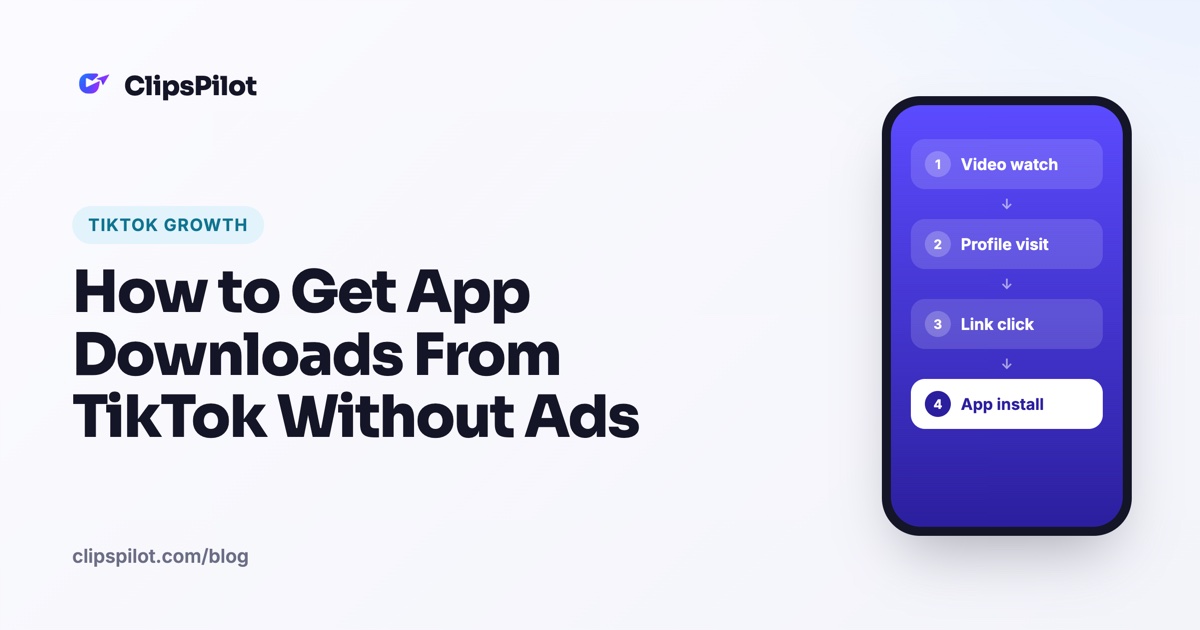
Organic TikTok does not let every viewer click directly from every video. The practical path is usually:
video watch → profile visit → link click → app store or landing page → install.
Start there before you brainstorm content. For apps, the video should sell one specific use case, not the whole product. Each post should answer three questions:
- Who is this for?
- What problem does it solve?
- What should the viewer do next?
Use one TikTok bio line that matches the current campaign. For example: “Plan meals in 30 seconds ↓ Try the free app.” If the video is about meal planning, the profile should not talk broadly about “healthy living.” Keep the path tight.
Send TikTok traffic to either an app store page or a simple mobile landing page with App Store and Google Play buttons. If attribution is hard, use a TikTok-specific link with UTM parameters so installs and signups can be compared week by week.
Do not measure only views. For app downloads, track profile views, link clicks, app store visits, installs, signups and activation events.
Illustrative funnel target for a new productivity app: 100,000 organic TikTok views in a week → 1,500 profile visits at 1.5% → 300 link clicks at 20% of profile visits → 120 app store page views after redirects → 36 installs at 30% app store conversion → 18 activated users at 50% onboarding completion. These numbers are illustrative; the point is to find the weakest step.
Choose organic TikTok formats that create app install intent
Use formats that make the viewer think, “I could use that.” Not just “that was funny.”
Use demo-first videos when the app has a visual workflow. Show the pain, then show the exact tap-by-tap solution.
Use Hook & Demo videos when the app solves a problem people already recognize, such as budgeting, studying, meal planning, habit tracking, editing, dating or fitness. A full breakdown is here: Hook & Demo videos.
Use slideshow carousels when the app idea can be framed as a list, checklist, mistake breakdown, before/after or “apps I use for X” style post. For the structure, see TikTok photo slideshows.
Use caption-over-demo videos for fast variations: same demo clip, different pain point, user type or outcome.
Use founder-style or screen-recording videos when trust matters, but do not rely on founder personality alone. The app still needs to be shown.
Format map for a language-learning app: Hook & Demo video: “I stopped forgetting Spanish words after I changed this one habit” → demo the spaced repetition screen. Slideshow: “5 Spanish phrases beginners keep translating wrong” → final slide softly mentions the app. Caption-over-demo: “If Duolingo feels too random, try reviewing words by real-life situation instead” → demo the app’s travel category.
Write hooks that qualify the right potential users
A good app-download hook should attract people with the exact problem your app solves and repel everyone else.
Avoid vague hooks like “This app changed my life.” Use the user, problem and outcome in the first line. For organic TikTok, write multiple hook angles for the same app: pain, result, curiosity, contrarian, mistake, comparison and checklist.
Keep the hook visible on screen, not only in the caption, because many viewers decide before reading the caption. Match the hook to the demo. If the hook promises a result, the video must show the app producing or helping with that result.
Hook bank for a budgeting app: Pain hook: “If you get paid Friday and feel broke by Tuesday, watch this.” Result hook: “Here’s how I plan a $900 paycheck in under 60 seconds.” Mistake hook: “Your budget probably fails because you track spending too late.” Comparison hook: “I tried spreadsheets, but this is faster for daily spending.” Curiosity hook: “The weird rule that stopped my impulse purchases.” Checklist hook: “3 money leaks to check before your next paycheck.”
If you need more angles, use the free TikTok hook generator or adapt formulas from TikTok hook ideas for apps.
Turn one app demo into 10 TikToks instead of filming 10 new videos
Record one clean vertical screen recording of a single use case inside the app. Do not try to show every feature.
Cut the demo into short moments: opening the app, choosing a template, entering one input, seeing the result, saving or sharing. Pair the same demo with different hooks for different users. A calorie tracker, for example, can target busy parents, gym beginners, people who eat out and people who hate logging food.
Change the caption, on-screen hook and first two seconds before changing the whole demo. This makes testing faster.
For TikTok-only automation, ClipsPilot can create and post formats such as Hook & Demo, Fade In/Out, Video + caption and Slideshow Autopilot using connected TikTok accounts and scheduled posting. Posts can go live or be sent to TikTok drafts for review first.
One-demo variation plan for a habit tracker app: Base demo: create a “drink water” habit, set reminder, check it off. Video 1 hook: “If you forget basic habits during work, try this.” Video 2 hook: “The easiest habit tracker is the one you can update in 2 seconds.” Video 3 hook: “Stop building 12 habits at once. Start with this.” Video 4 hook: “POV: your phone reminds you before the day gets away from you.” Video 5 hook: “I use this tiny habit rule when I fall off track.”
Use captions and CTAs that move viewers to the app without sounding like an ad
Organic app CTAs should be specific and low-friction. “Download now” is less natural than “Try it with your next grocery trip.”
Put the CTA in the final on-screen line, the spoken or caption text and the TikTok caption if appropriate. Use soft CTAs for educational posts and direct CTAs for demo posts.
Tell viewers exactly where to go: “app is linked in bio,” “template is in the app” or “try the free version from my profile.” Avoid making every post a hard pitch. A good organic mix includes direct demo posts, helpful list posts and problem-aware posts.
Caption and CTA set for a meal-planning app: Soft caption: “If grocery shopping always turns into random snacks and no dinners, plan 3 meals before you go. I built my weekly list this way.” CTA: “Try it before your next grocery run — app linked in bio.” Direct demo caption: “This is how I turn 3 dinners into one grocery list in under a minute.” CTA: “Use the meal planner from my profile.” Final on-screen text: “Want the list version? Link in bio.”
Post on a testing schedule that finds install winners
The goal is not just consistency; it is structured testing. Each week should test a limited number of variables so you know what caused improvement.
For app marketing, test hooks and use cases before testing aesthetics. The right problem usually matters more than the perfect edit.
Separate posts by audience segment: beginner vs advanced user, student vs professional, free user vs power user, creator vs business owner. Review performance after enough posts, not after one video. A single TikTok can be noisy; a cluster of posts around one use case is more useful.
If you are worried about quality, schedule posts as TikTok drafts first, review them and then publish the strongest ones. For posting volume guidance, read how often to post on TikTok.
7-day organic testing schedule for an app founder: Monday: 2 Hook & Demo posts testing two pain hooks. Tuesday: 1 slideshow checklist and 1 caption-over-demo video. Wednesday: 2 demo variations for two audience segments. Thursday: 1 mistake-based slideshow and 1 direct demo. Friday: repost the best-performing use case with a new hook. Saturday: 1 casual screen-recording walkthrough. Sunday: review views, profile visits, link clicks, installs and activated users; choose next week’s top 2 use cases.
Optimize the TikTok profile for downloads
A viewer who taps your profile should immediately understand what the app does and why they should click.
Use a profile name, bio, pinned videos and link that all support the same app promise. Pin one video for the main problem, one for the best demo and one for proof or use cases.
If the app serves multiple audiences, do not make the bio too broad. Pick the highest-intent audience for the current campaign. Update pinned videos when the winning use case changes. Your profile should reflect what your best TikToks are already proving.
Profile checklist for a study app: Name: “CramLess | Study Planner.” Bio: “Turn exams into a daily study plan in 60 seconds.” Link: TikTok-specific app link or landing page. Pinned video 1: “If you start studying the night before exams, use this plan.” Pinned video 2: screen recording of creating a study schedule. Pinned video 3: “3 mistakes that make your study plan impossible to follow.”
Measure organic TikTok downloads and decide what to make next
Use a simple weekly scorecard instead of guessing from views. High views with no profile visits may mean the content is entertaining but not app-relevant.
High profile visits but low link clicks may mean the profile bio, pinned videos or offer is unclear. High link clicks but low installs may mean the app store page, landing page, screenshots or promise does not match the TikTok video.
High installs but low activation may mean the TikTok promise attracts the wrong users or onboarding does not deliver the shown result fast enough. Double down on use cases that produce activated users, not just likes.
Weekly scorecard template with illustrative numbers: Use case tested: “budget paycheck.” Posts: 9. Views: 82,000. Profile visits: 1,640, or 2.0%. Link clicks: 410, or 25% of profile visits. Installs: 123, or 30% of link clicks. Activated users: 49, or 40% of installs. Decision: make 10 more posts around paycheck planning, but test a clearer onboarding screen because 60% of installers did not activate.
FAQ
Can you get app downloads from TikTok without running ads?
Yes. Use organic videos that show one app use case, send viewers to your profile link, and track the path from views to installs. The key is testing use cases, not chasing views alone.
What type of TikTok video gets the most app installs?
Demo-first videos and Hook & Demo videos usually create the clearest install intent because they show the app solving a problem on screen. Slideshows can also work well for list, checklist and mistake-based content.
How many TikToks should an app founder post per day for organic growth?
A practical target is one to three posts per day if you can keep quality steady. If that is too much, post once per day and review results weekly.
Should I send TikTok traffic directly to the App Store or to a landing page?
Use the App Store if the promise is simple and your app store page matches the TikTok. Use a landing page if you need to explain the offer, split iOS and Android traffic, or track signups more clearly.
Why are my TikToks getting views but no downloads?
The content may be entertaining but not install-focused. Check profile visit rate, link click rate, install rate and activation rate to find where the funnel breaks.