TikTok Auto Uploader Guide for App Founders
Choose a TikTok auto uploader that schedules posts, creates app creatives, supports drafts, and keeps your app marketing consistent.
A TikTok auto uploader helps you upload and schedule TikTok posts so you do not have to publish every video by hand. For app founders, the best workflow is not just a queue. It should help you turn demo clips, screenshots, hooks, captions, slideshows, accounts, drafts, and results into a repeatable marketing system.
What a TikTok auto uploader actually does — and what app founders should expect
A TikTok auto uploader uploads or schedules TikTok posts for you. The simple version takes finished videos and posts them at the times you choose.
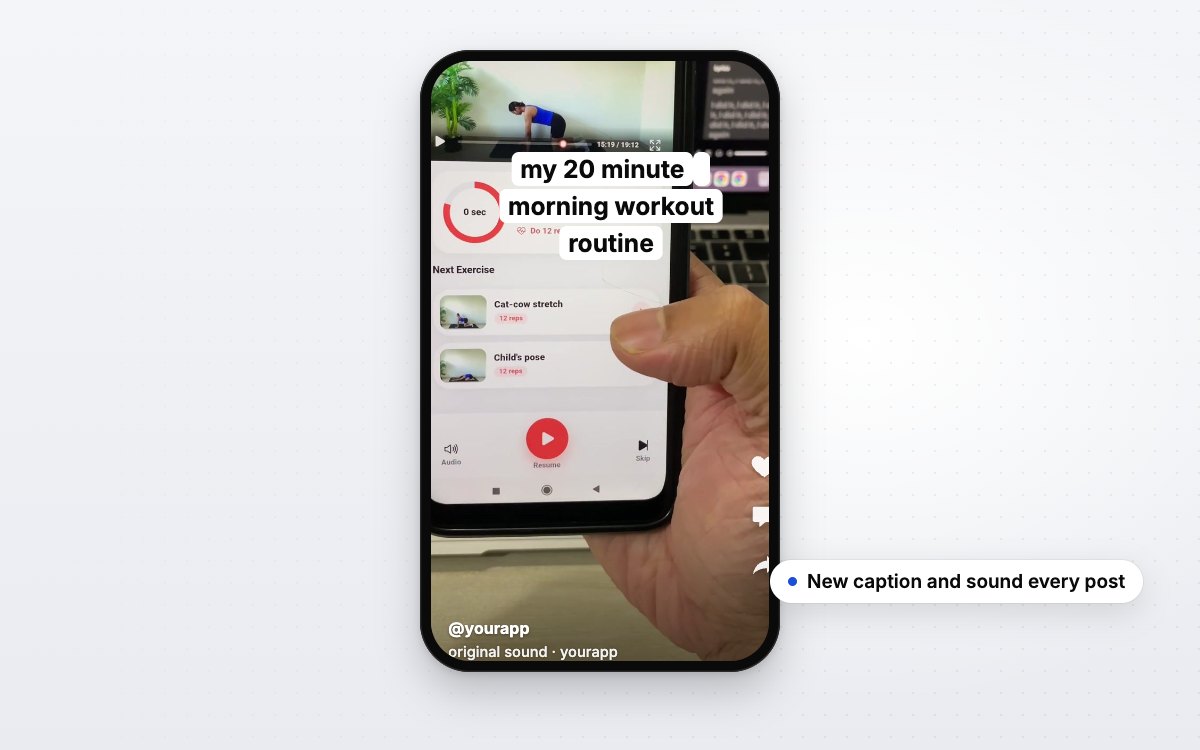
But three jobs often get mixed together:
- Creating the TikTok. Writing the hook, adding text, choosing the demo clip, making the slideshow, or building the final video.
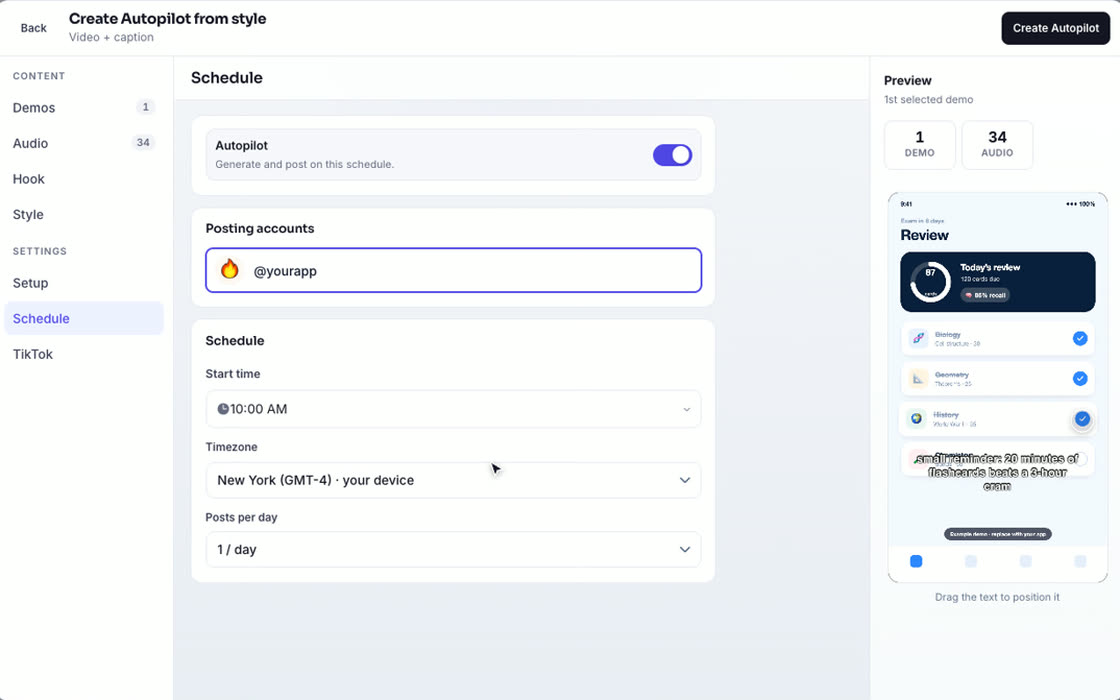
- Scheduling the TikTok. Choosing the account, day, time, and timezone.
- Publishing or saving it. Sending the post live, or sending it to TikTok drafts for review first.
Most uploaders solve timing. That helps if you already have a folder of finished TikToks. App founders usually need more. You need a steady stream of app-specific hooks, demo clips, captions, carousel ideas, and format variations.
ClipsPilot’s TikTok automation creates and posts TikTok content for app founders and marketers. It is TikTok only.
Mini decision table
| Situation | Best fit |
|---|---|
| You already have finished videos | Use a scheduler. |
| You have app demos but no daily creative ideas | Use an auto uploader with content generation. |
| You are unsure about quality | Send posts to TikTok drafts first. |
Example: a habit tracker has 3 demo recordings, 20 screenshots, and wants 2 TikToks per day. The workflow should generate hook variations, queue them Monday to Sunday, and send the first week to drafts before going live.
The app-founder auto-upload workflow: from demo assets to scheduled TikToks
Start with reusable app assets. You do not need to film every day. Prepare:
- Screen recordings.
- Onboarding clips.
- Feature demos.
- Before/after screenshots.
- Testimonial screenshots, if you have permission to use them.
- Uploaded or found-for-you photo collections for slideshow-style content.
Then turn one feature into multiple TikTok formats instead of reposting the same video. Use Hook & Demo, Fade In/Out, Video + caption, and Slideshow Autopilot. If you want the deeper structure, read the guide to Hook & Demo videos.
Use hook directions instead of writing every post manually. For example: “busy founders who forget follow-ups” or “students trying to stop procrastinating.” Then queue posts by account, day, time, and timezone so the system can repeat.
Worked example
App: AI meal planner.
Assets: 1 demo recording showing meal plan generation, 12 recipe screenshots, and 8 grocery-list screenshots.
Output for one week:
- 3 Hook & Demo posts.
- 2 Video + caption posts.
- 2 Slideshow posts.
Sample hook direction: “Show how planning dinner becomes a 10-second task.”
Sample post hook: “I stopped asking what’s for dinner every night — this app decides for me.”
Sample caption: “If meal planning is the reason you keep ordering takeout, this workflow is for you.”
Choose the right auto-upload mode: live posting vs TikTok drafts
Send posts live when the format is stable, the hook direction is proven, the demo clip is clean, and there are no sensitive product details in the recording.
Send posts to TikTok drafts first when the app is new, the hook direction is new, the format is new, or you are in the first week of automation. Drafts also make sense for regulated categories or any post where you want final review.
For app demos, check quality before you let automation publish freely:
- Is the text readable on a phone?
- Is there any private user data?
- Do the first 2 seconds show the promise?
- Does the caption match the visual?
- Is the CTA soft, not spammy?
ClipsPilot posts can go live or be sent to TikTok drafts for review first.
Draft-review checklist
- Can I understand the app promise in the first 2 seconds?
- Is the app screen readable on a phone?
- Is there any email, API key, customer name, or private data visible?
- Does the hook match the demo?
- Would I still post this if it got 50,000 views?
- Is the CTA simple, such as “link in bio” or “try it from our profile”?
Sample draft note: “Keep hook, replace demo because keyboard covers the main result screen.”
A realistic TikTok auto-upload schedule for app marketing
Start with a schedule you can maintain without creating custom content every day. A useful rule of thumb for a new app account is 7 posts per week. If quality stays steady, move toward 2 posts per day. For more schedule examples, see how often to post on TikTok.
Mix formats so the account does not look like the same ad on repeat. If you run several accounts, set schedules per account. For example, one brand account can show product demos, while one niche account can focus on the user problem. Set the timezone during setup. Do not treat it as an afterthought.
Illustrative weekly schedule for one app account
| Day | Post |
|---|---|
| Monday 9:00 AM | Hook & Demo: problem hook |
| Monday 6:00 PM | Slideshow: “5 signs you need this” |
| Tuesday 12:00 PM | Video + caption: feature benefit |
| Wednesday 9:00 AM | Fade In/Out: contrarian hook |
| Thursday 6:00 PM | Slideshow: checklist carousel |
| Friday 12:00 PM | Hook & Demo: result hook |
| Sunday 5:00 PM | Video + caption: founder-style explanation |
Illustrative numbers: 7 posts per week, 4 formats, 3 hook angles, 1 timezone. First week goes to drafts. Week two goes live if QA passes.
What to upload: app-specific TikTok formats that work well with automation
Use formats that can repeat without feeling identical.
Hook & Demo is a short hook clip with on-screen hook text, followed by your app demo recording. Use it to show the product solving one problem.
Fade In/Out is a hook banner above your demo video that fades in and out. Use it when the demo is strong and the hook needs to stay visible.
Video + caption is your demo clip with an AI-written caption over it. Use it for simple feature education.
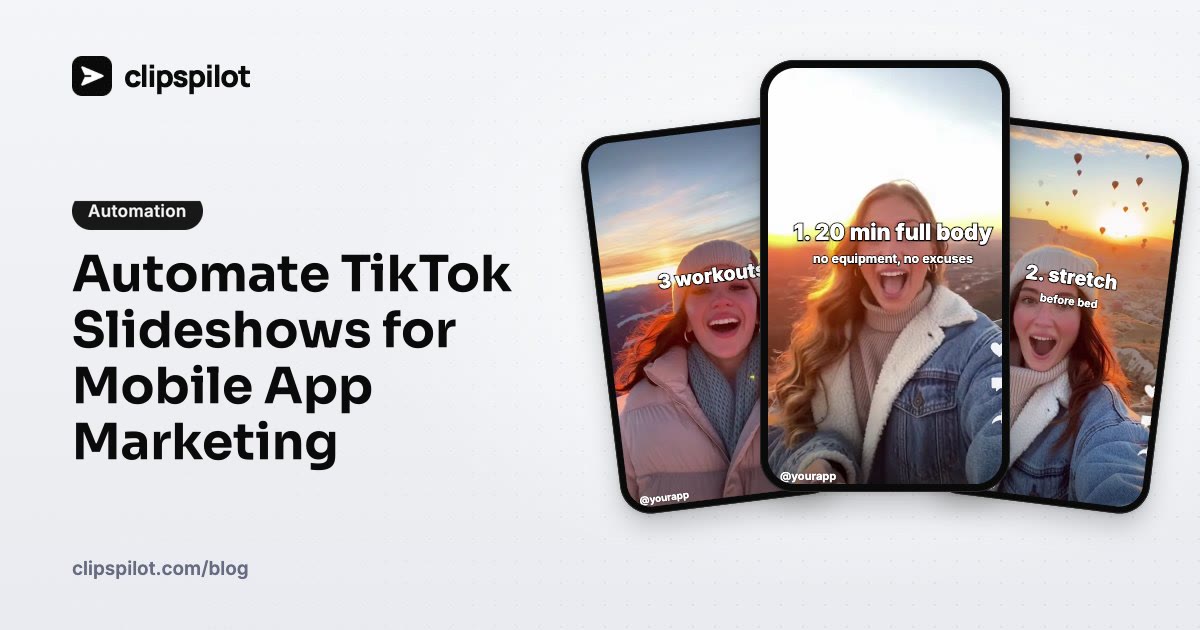
Slideshow Autopilot is an AI-written listicle-style photo carousel using your photo collections. The photos can be your uploads or collections found for you, with readable text styles such as outline, white box, or pill. Use it for lists, checklists, mistakes, and pain-point education.
Format examples for a language-learning app
- Hook & Demo hook: “You do not need another streak app — you need this 3-minute speaking drill.”
- Fade In/Out banner: “Practice Spanish while waiting for coffee.”
- Video + caption: “A tiny speaking habit beats a 60-minute lesson you never start.”
- Slideshow title slide: “5 reasons your language app habit keeps dying.”
- Slide 2: “The lesson is too long.”
- Slide 3: “You never speak out loud.”
- Slide 4: “You wait until you feel motivated.”
- Slide 5: “Make the next session embarrassingly small.”
How to evaluate TikTok auto uploader tools for app marketing
Do not stop at “easy to use.” For app marketing, ask whether the tool only schedules finished videos or also helps generate TikTok content from demos, captions, hooks, and images.
Check for drafts, content calendars, bulk scheduling, post lists, generated asset libraries, and multiple TikTok accounts. Compare plans by monthly post volume, not vague team size.
ClipsPilot pricing is based on a shared monthly pool of slideshow and video posts:
- Pro: $19 for 100 posts/month and 5 Autopilots.
- Growth: $39 for 300 posts/month and 20 Autopilots.
- Scale: $79 for 750 posts/month and 50 Autopilots.
- Agency: $149/month or $1,490/year for 2,000 posts/month and unlimited Autopilots.
Buyer checklist
- Can it create TikToks, or only upload finished files?
- Can I set hook directions per Autopilot?
- Can I post live or send to TikTok drafts?
- Can I run more than one TikTok account?
- Can I bulk schedule posts?
- Is there a content calendar?
- Is there a generated-post library?
- Does the monthly post limit match my target?
Illustrative plan math: if an app wants 2 posts per day, that is about 60 posts per month, so a 100-post plan leaves room for tests. If an agency runs 10 apps at 5 posts per week each, that is about 200 posts per month before extra tests.
Build your first 30-day auto-upload plan
Do not start by comparing every tool. Start by building the workflow.
Week 1: upload assets, create 2–3 hook directions, and schedule posts to TikTok drafts.
Week 2: publish the safest drafts, keep weak posts in the library, and create variations of hooks that feel clear.
Week 3: increase posting volume or add a second TikTok account if the creative system is stable.
Week 4: review which hooks drove the best profile visits, link clicks, installs, or signups. Keep the strongest Autopilots and pause weak ones.
If you want hook ideas before setting up an Autopilot, use the free no-signup TikTok hook generator.
30-day starter plan
- Day 1: upload 3 demo clips and 20 screenshots.
- Day 2: create hook directions: “save time,” “avoid mistakes,” and “before/after.”
- Days 3–7: schedule 1 post per day to drafts.
- Days 8–14: publish 1–2 per day after review.
- Days 15–21: add 2 slideshow posts per week and 2 Hook & Demo posts per week.
- Days 22–30: keep the top 3 hook patterns.
Sample hooks to test:
- “I built this because I kept forgetting to ___.”
- “This is the fastest way to ___ without a spreadsheet.”
- “If you use notes for ___, try this instead.”
FAQ
What is the best TikTok auto uploader for app founders?
The best option depends on your bottleneck. If you already have finished videos, use a scheduler. If you need daily app creatives, choose a workflow that can generate hooks, reuse demos, schedule posts, and send risky posts to drafts.
Can I automatically upload TikTok videos without manually posting every day?
Yes. You can schedule TikToks to go live at set days, times, and timezones. For app marketing, also plan how you will create enough varied posts to keep the queue full.
Should I auto-post TikToks live or send them to drafts first?
Send the first week to drafts if the app, format, or hook direction is new. Post live once the demo is clean, the promise is safe, and the format has passed review.
What is the difference between a TikTok scheduler and a TikTok auto uploader?
A scheduler usually queues finished posts. A fuller auto uploader can also help create repeatable TikTok content, set account-specific schedules, and publish or save posts to drafts.
Is there a free way to generate TikTok hooks for my app?
Yes. Use the free no-signup TikTok hook generator at /tiktok-hook-generator to brainstorm angles before you build a full posting workflow.