Comprehensive Guide to TikTok Automation Software for Apps
A guide to TikTok automation software for apps: Autopilot formats, hooks, captions and CTAs, a weekly schedule, the metrics to track and example scenarios.
Understanding TikTok Automation for App Marketing
TikTok automation refers to the use of software tools that streamline the creation and posting of content on TikTok, specifically designed for app founders and marketers. This automation helps maintain a consistent presence, saving time and effort while allowing app marketers to focus on strategy and content quality. By leveraging automation, app marketers can optimize their outreach and engagement with potential users, thus promoting their apps more effectively.
Benefits of TikTok Automation
- Time Efficiency: Automated postings reduce the burden of daily content creation and scheduling, allowing marketers to focus on strategy and analysis.
- Consistent Engagement: Regular posting helps keep the app brand visible, enhancing user engagement over time.
- Data Analytics: Automated tools can track metrics automatically, providing insights into what content performs best and enabling marketers to refine their strategies based on real results.
Key Types of Content that Can Be Automated
You can automate various types of content on TikTok, which may include:
- Demo Videos: Showing how your app works and its key features.
- Photo Slideshows: Presenting tips, user testimonials, or benefits of using your app.
- Engaging Hooks: Creating catchy openings that capture attention quickly.
Overview of ClipsPilot's Autopilot Features
ClipsPilot provides several automation formats tailored for app marketing, including:
- Slideshow Autopilot: This feature generates photo carousels that are text-rich and visually appealing, ideal for engaging users.
- Hook & Demo: This involves a quick attention-grabbing hook followed by a demo of the app, perfect for demonstrating value.
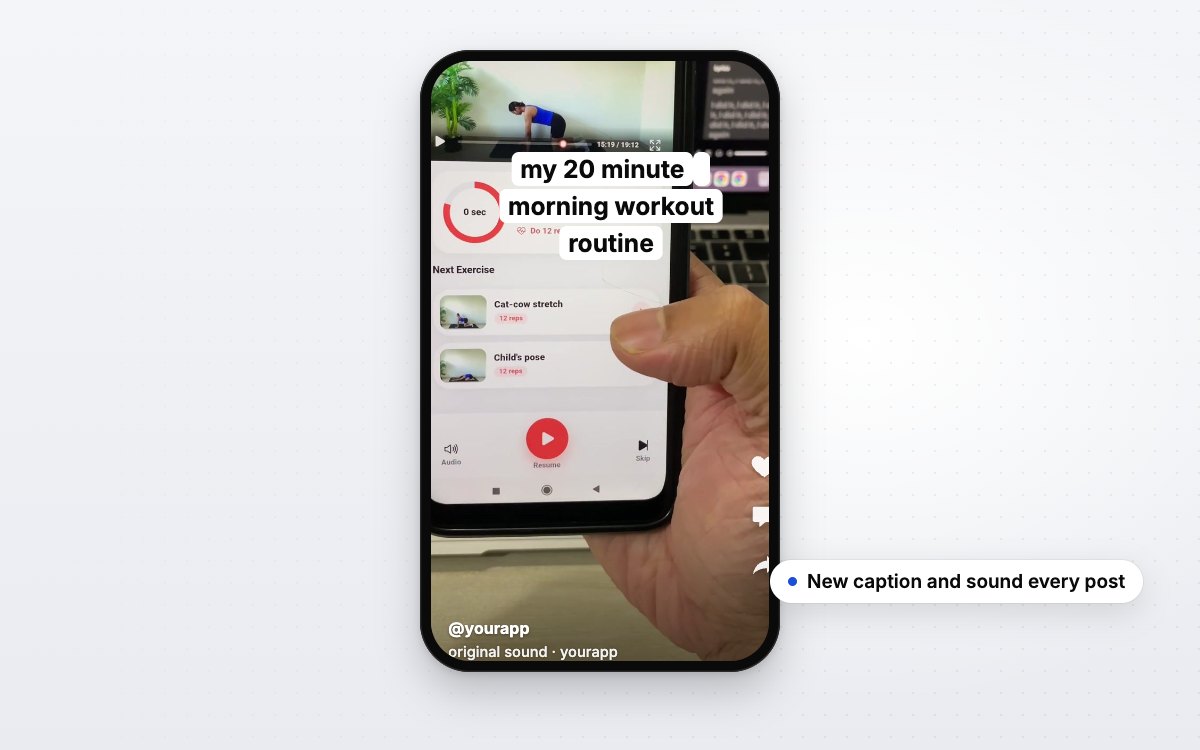
- Video + Caption: Displaying demo footage overlaid with AI-generated captions that enhance understanding of app benefits.
- Fade In/Out: A banner that fades in above your demo video, adding emphasis on key points.
Choosing the Right Autopilot Format for Your App
Selecting the right format can greatly impact engagement. Here’s how to determine which Autopilot fits your needs:
- Comparison of Formats: Understand the specific use cases for each format offered by ClipsPilot.
- Format Scenarios:
- When to Use Slideshow Autopilot: Use this for educational content, such as tips and tricks for app features, ensuring the format remains engaging with a clear narrative across slides.
- When to Use Hook & Demo: Ideal for highlighting specific features of your app with a strong hook that draws in viewers.
| Format | Pros | Cons |
|---|---|---|
| Slideshow Autopilot | Engaging, educational, visually appealing | Requires good photo content |
| Hook & Demo | Fast engagement, shows app in action | May require video editing skills |
| Fade In/Out | Highlights key moments effectively | Can seem repetitive if overused |
| Video + Caption | Clear explanation alongside visuals | Text must be concise and impactful |
Creating Captivating TikTok Hooks for Your App
Hooks play a critical role in engaging TikTok users.
Importance of a Strong Hook
In the crowded landscape of TikTok, the first few seconds are crucial. The hook needs to be compelling enough to stop viewers from scrolling. What makes a hook effective?
- Relatable Problem: State a common issue that your target users face.
- Clear Promise: What can your app do for them? Make it clear and precise.
How ClipsPilot’s AI Generates Effective Hooks
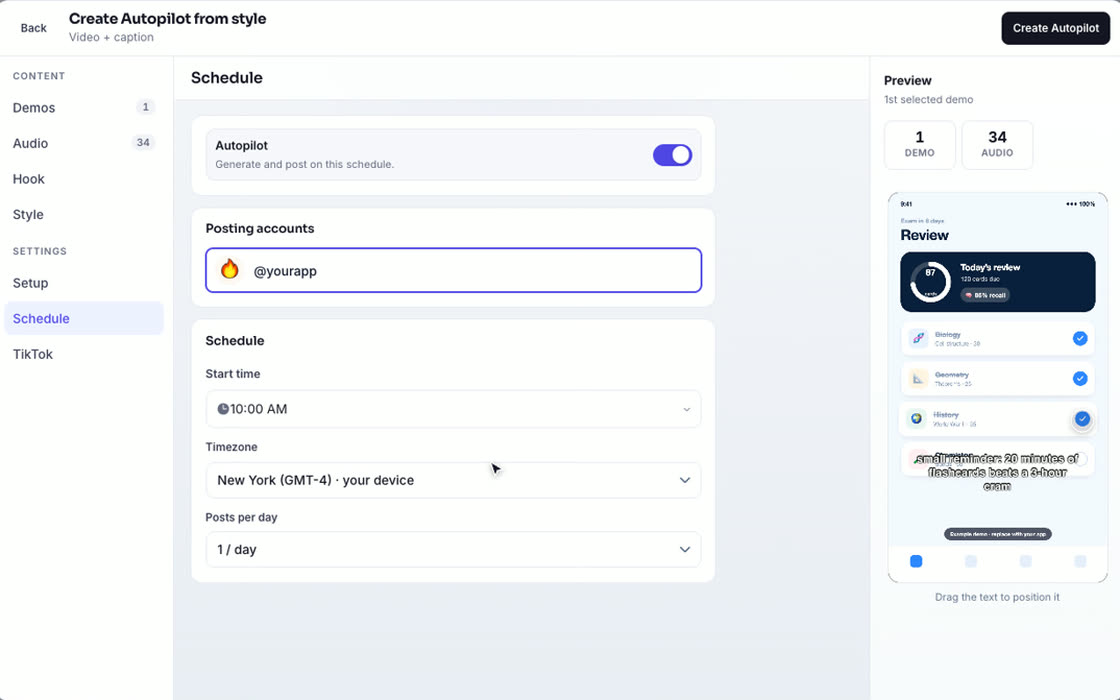
ClipsPilot's AI writes fresh hooks on every run from the hook direction you set, and Analytics › What's working shows which hooks earn more views.
Examples of Hooks Tailored for Different Types of Apps
- For a Fitness App: “POV: You wasted months on workouts that didn’t work. Here’s the fix!”
- For a Productivity Tool: “Struggling to keep track of tasks? This app will change your life!”
- For a Meal Planning App: “Stop stressing about what to cook – here’s how to get organized in minutes!”
Sample Hooks Based on App Categories
- Screen-Time App: “I got 10 hours of my week back from my phone.”
- Finance App: “This budgeting app reveals all my spending leaks.”
- Study Aid: “Want to ace your exams? Use this app to study smarter.”
Crafting Effective TikTok Captions and CTAs
Captions can significantly enhance viewer engagement and lead to app downloads.
The Role of Captions in Enhancing Engagement
Captions should complement the visuals by reinforcing the message or adding context. They can also guide viewers on what action to take next.
Using AI-Generated Captions with ClipsPilot
ClipsPilot writes a new AI caption for each post from your caption direction, so captions vary instead of repeating.
Examples of Effective CTAs that Drive App Downloads
- “Download now and take control of your productivity!”
- “Click the link in bio to start your journey!”
- “Try it free this week and see if it sticks.”
Checklist for Writing High-Converting Captions
- Keep captions short and impactful.
- Include emojis for better visual engagement.
- Use questions or direct commands in your CTAs.
Scheduling Posts: Timing is Key
Timing has a profound effect on the visibility of TikTok posts. Here are best practices for scheduling:
Best Practices for Scheduling TikTok Posts
- Understand Your Audience: Analyze when your target audience is most active.
- Use ClipsPilot’s Content Calendar: This tool allows you to plan posts according to peak engagement times.
- Experiment and Analyze: Test different posting times and track results to find your optimal schedule.
Sample Weekly Posting Schedule for an App Marketing Campaign
| Day | Post Type | Time |
|---|---|---|
| Monday | Hook & Demo | 10 AM |
| Tuesday | Photo Slideshow | 3 PM |
| Wednesday | Video + Caption | 1 PM |
| Thursday | Hook & Demo | 5 PM |
| Friday | Fade In/Out | 6 PM |
| Saturday | Story/Behind-the-scenes | 12 PM |
| Sunday | Repost Best Performer | Varies |
Measuring Success: Metrics to Track
To refine your strategy, tracking the right metrics is crucial.
Key Performance Indicators (KPIs) for TikTok App Marketing
- Views: Indicates reach and initial interest.
- Engagement (likes, shares, comments): Measures how well content resonates.
- Profile Visits: Number of users clicking through to your profile.
- Link Clicks: Indicates interest in learning more.
- App Installs: The ultimate goal of your TikTok marketing.
Using ClipsPilot’s Analytics Tools for Tracking Post Performance
ClipsPilot's Analytics › What's working ranks your clips and hooks by average views, and a tracked bio link shows clicks per day. Installs come from your App Store and Play Console data.
Interpreting Results to Refine Your TikTok Strategy
Regular reviews of these metrics allow marketers to adjust their content strategy, focus on successful formats, and discontinue poorly performing ones.
Example Scenarios: TikTok Marketing for Apps
These are illustrative scenarios, not reported results. Use them as starting points for your own tests.
Two Illustrative App Scenarios
- Habit Tracker App: posts one Hook & Demo a day, each with a new hook about a habit people keep breaking, and keeps the demo of the streak screen the same so the hooks are what's being tested.
- Budgeting App: runs a daily photo slideshow about common money mistakes, with a soft mention of the app on the last slide, and compares saves and profile visits week to week.
What Both Scenarios Have in Common
Both keep posting consistently without lowering quality. They lead with a relatable problem and show the app as the solution, then keep the angles that bring profile visits and link clicks.
Lessons Learned for Future Campaigns
- Authenticity Wins: Users engage more with content that feels genuine.
- Diversity of Formats: Mixing up content types keeps the feed interesting.
FAQ
What is TikTok automation and how can it benefit my app marketing?
TikTok automation streamlines the posting and creation of content, enabling app marketers to maintain a consistent online presence without daily manual efforts. It helps improve engagement and efficiency.
How do I choose the right Autopilot format for my app?
Consider your content goals and audience engagement. Use formats like Slideshow Autopilot for educational content and Hook & Demo for feature highlights.
What are compelling examples of TikTok hooks for app promotions?
Hooks that relate directly to user struggles, such as “POV: You can’t stick to your budget,” effectively engage viewers by highlighting a relatable pain point.
How can I effectively schedule my TikTok posts?
Use a content calendar, analyze your audience's online activity, and experiment with different posting times to increase engagement.
What metrics should I track to measure my TikTok marketing success?
Key metrics include views, engagement rates, profile visits, link clicks, and app installs to evaluate content effectiveness and refine strategies accordingly.