TikTok Photo Slideshows: How to Make Carousels That Get Views
How to make TikTok photo carousels that people swipe through: slide structure, text that's readable, photo choice, aspect ratio and a soft product mention.
TikTok photo slideshows (TikTok calls them photo posts) are swipeable sets of images, each with text on top. They're one of the easiest formats to make in volume, they don't need filming, and they suit listicles perfectly, which makes them a great fit for app marketing.
Why slideshows work
- They're cheap to make. No camera, no editing timeline. Photos and text.
- They reward swiping. Each swipe is a small commitment; people who swipe tend to finish.
- They carry information. Tips, steps and lists are easier to read on slides than to follow in a fast video.
- They're native. A real photo carousel looks like any other post in the feed, not like an ad.
The structure that works
A strong slideshow has three parts.
1. The hook slide
The first slide is your headline. It needs a short, specific promise, like "5 habits that quietly changed my mornings". Keep the text large and the photo simple so the words stand out.
2. The content slides
One idea per slide. A short headline and, if needed, one or two lines underneath. Three to five content slides is usually enough; if you have more, split it into two posts.
Good content slides:
- Lead with the takeaway, not the explanation.
- Use the same text style on every slide so the post feels like a set.
- Put a different photo behind each slide so the swipe feels fresh.
3. The product mention
The final slide (or a line woven into one of the content slides) is where your app appears. Keep it soft and first-person: "I track all of this in one app now" works better than "Download X today!" Hard selling on a slide reads as an ad and people swipe away.
Make the text readable
Most slideshow failures are text problems.
- Contrast. White text with an outline or a soft shadow, or text on a solid or blurred plate, reads on almost any photo.
- Size. If you have to squint on a phone, it's too small.
- Width. Keep text to the middle 70–80% of the slide so nothing gets clipped by TikTok's buttons on the right.
- Position. Centre is safest. Avoid the very bottom, where captions and the username sit.
Choose the right aspect ratio
TikTok shows 9:16 slides full screen, which gives you the most room. 4:5 and 1:1 also work and can make a set look more "Instagram". If you use a shorter ratio, use slightly smaller text and keep the headline and body clearly separated so they don't crowd each other.
Photos that work
- Moody, simple backgrounds (nature, a desk, the gym, a city at night) make text pop.
- Avoid busy photos behind long text.
- Keep a consistent look across a post: similar colours and lighting.
- Build a pool of photos for each theme so you're never stuck.
How many slideshows to post
Slideshows are a format where volume pays off. Testing a new topic every day, or several times a day, quickly shows you which subjects your audience swipes through. Reuse winning topics with fresh photos and new tips.
Make slideshows without the busywork
Making slideshows by hand in a design app gets slow fast. ClipsPilot's TikTok slideshow maker, Slideshow Autopilot, does the repetitive parts: give it a topic, and AI writes the hook and tips, puts a different photo from your collection behind each slide, applies your text style, and posts it as a native TikTok photo carousel on your schedule. You can include an optional soft-mention slide for your app, and send posts to TikTok drafts first if you'd like to review them. See plans.
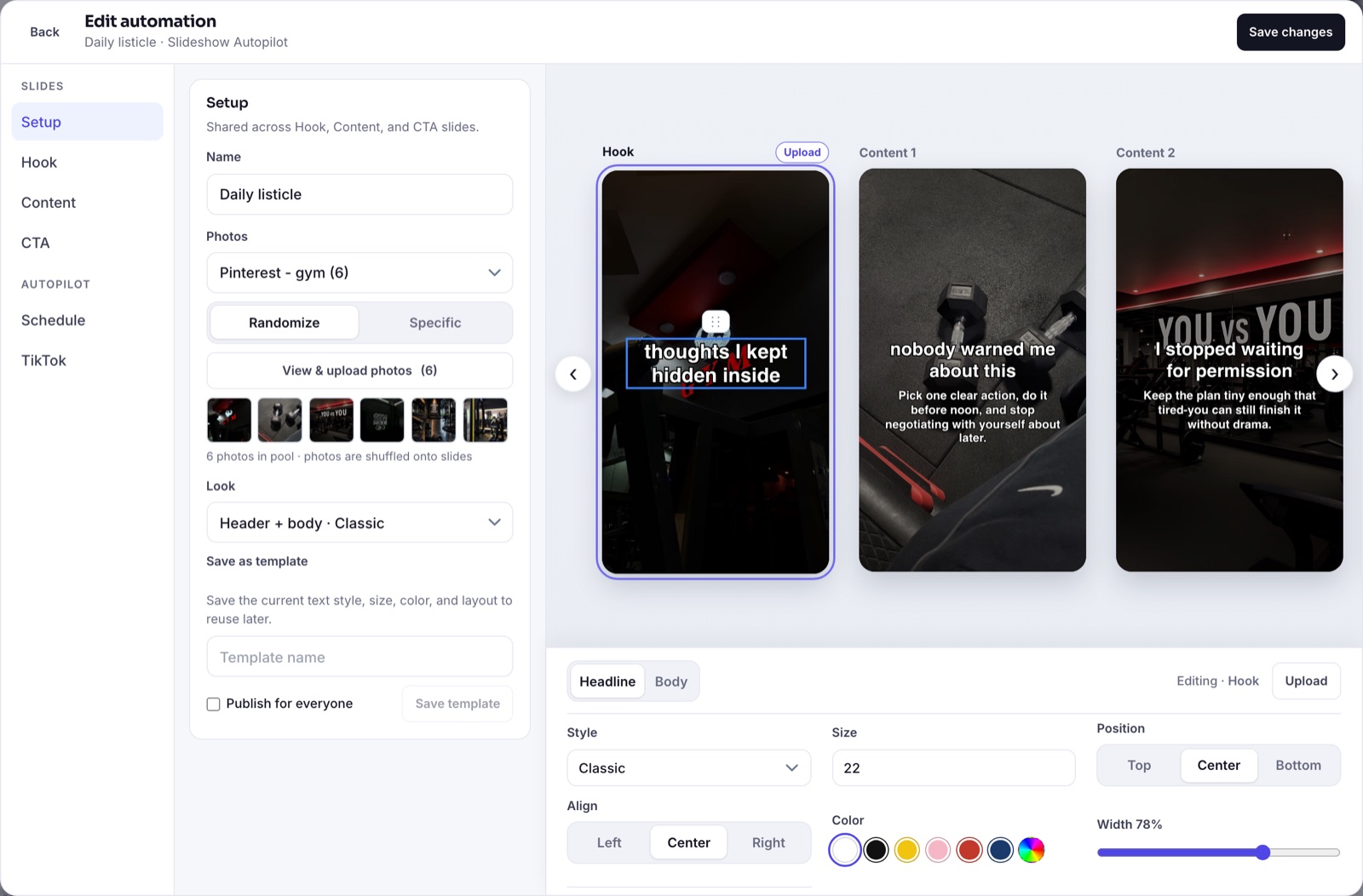
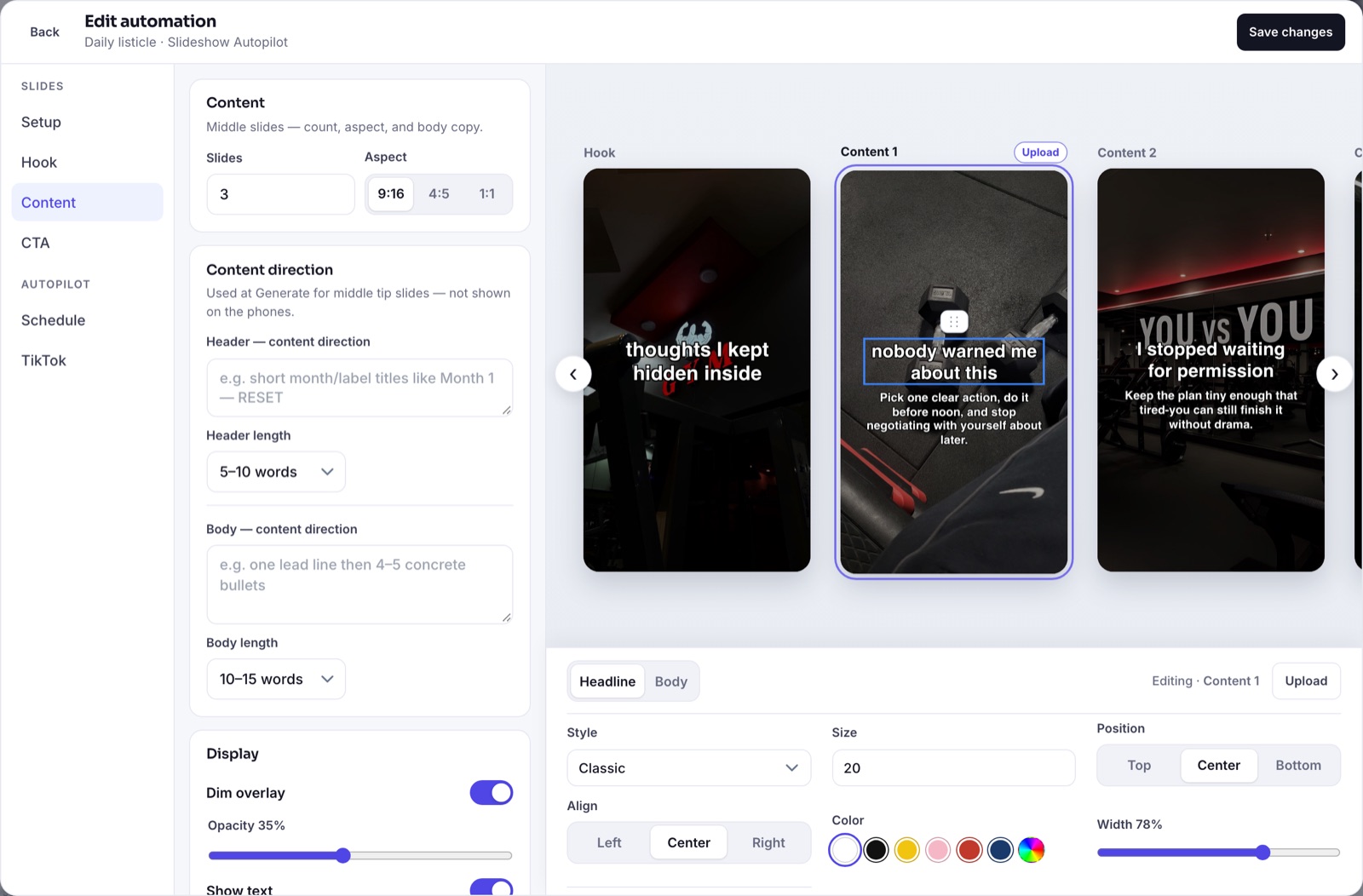
For more ideas on what to put on your hook slide, see 60 TikTok hook ideas for apps.
FAQ
How many slides should a TikTok slideshow have?
Usually four to six: one hook slide, three to five content slides, and an optional final slide. Fewer, stronger slides beat long sets.
Can I add music to a TikTok slideshow?
Yes. TikTok lets you add a sound to photo posts, and a trending sound can help reach.
Do slideshows get less reach than videos?
Not necessarily. Photo carousels are a native TikTok format and can perform as well as videos, especially for list-style content.