Best TikTok Scheduling Tool for App Marketing
How to pick a TikTok scheduling tool for app marketing: features to look for, Autopilot formats, draft review, hooks and the metrics to track.
Understanding TikTok Scheduling Tools for App Marketing
TikTok scheduling tools are essential for app marketers looking to streamline their content strategy. These tools allow you to automate your posting schedule, ensuring consistent visibility on the platform without the need for daily manual uploads.
They help maintain a steady stream of high-quality content, which is crucial for gaining traction and engagement in a crowded app marketplace.
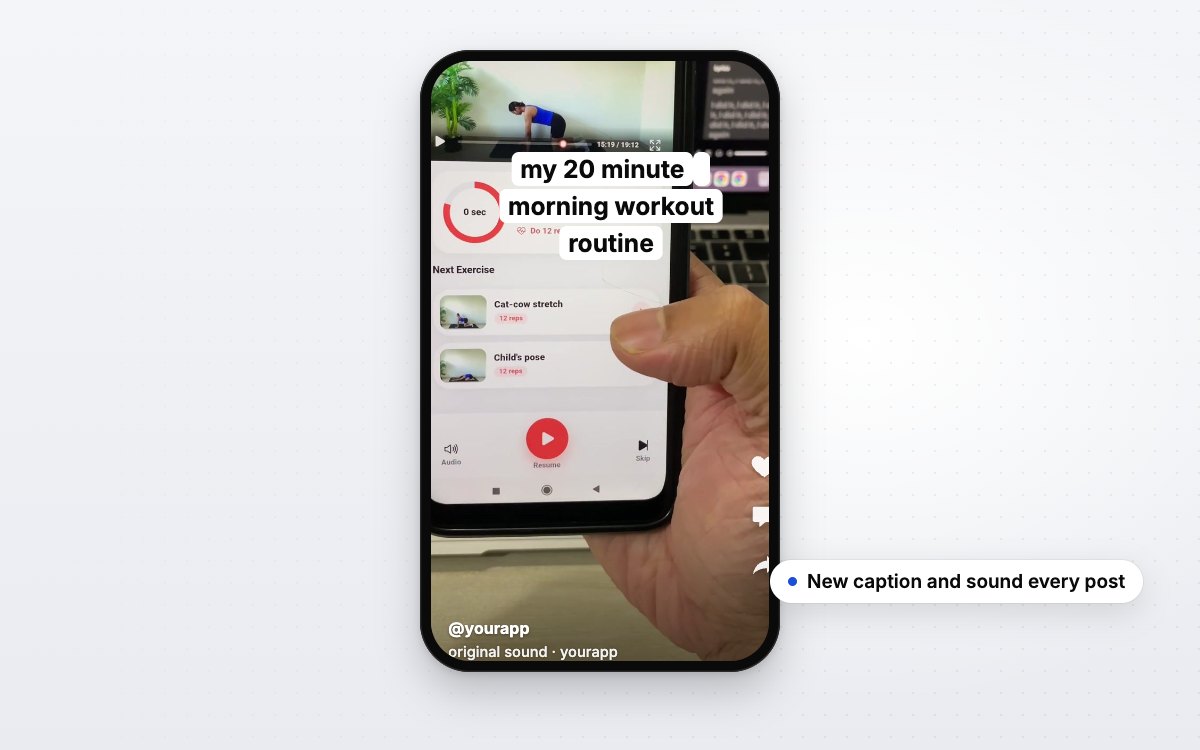
What is a TikTok scheduling tool?
A TikTok scheduling tool allows users to plan and automate their TikTok posts in advance. You can set dates and times for videos to go live, ensuring your audience receives fresh content regularly. Some tools even integrate creative elements, enabling you to generate new posts based on previous content and formats.
Why are they essential for app marketers?
For app founders and marketers, maintaining a consistent posting schedule is critical. App users often rely on visual platforms to discover new tools that meet their needs. A scheduling tool keeps your content flowing, helping to keep your app in front of potential users.
Key features to look for in a TikTok scheduling tool
When searching for the right TikTok scheduling tool, ensure it includes multiple essential features:
- Multi-account support: Manage several TikTok accounts from one dashboard.
- Content calendar: View and plan all scheduled posts in one place.
- Draft management: Save drafts and refine video details before going live.
- Post analytics: Track engagement metrics to refine your future content strategy.
Checklist of features:
- Multi-account support
- Content calendar
- Draft management
- Post analytics
Why Choose ClipsPilot for TikTok Scheduling
ClipsPilot stands out among TikTok scheduling tools with its unique Autopilot formats designed specifically for app marketing.
Its capabilities allow you to create and publish content tailored to promote your app effectively.
Overview of ClipsPilot's unique Autopilot formats
ClipsPilot offers four primary Autopilot formats: Slideshow Autopilot, Hook & Demo, Fade In/Out, and Video + Caption. Each format is designed to help app creators highlight their features engagingly while automating the posting process.
How ClipsPilot integrates directly into your app marketing efforts
By linking their scheduling tool to your TikTok account, ClipsPilot streamlines the process of generating and posting appealing content. You can quickly create a robust schedule that maximizes your reach and engagement without the painstaking effort of constant manual posting.
What a first test looks like
A practical first test is one Hook & Demo Autopilot built around the problem your app solves, posting once or twice a day for two weeks. Analytics › What's working then ranks your clips and hooks by average views, so you can see which angle to keep. Results vary by app and niche, so judge it against your own numbers, not someone else's.
Setting Up Your TikTok Post Schedule with ClipsPilot
Getting started with ClipsPilot is straightforward. Here’s a quick guide:
Step-by-step guide to connecting your TikTok accounts
- Visit the ClipsPilot website and sign up for an account.
- Connect your TikTok account under the settings menu.
- Authorize ClipsPilot to post directly to your TikTok.
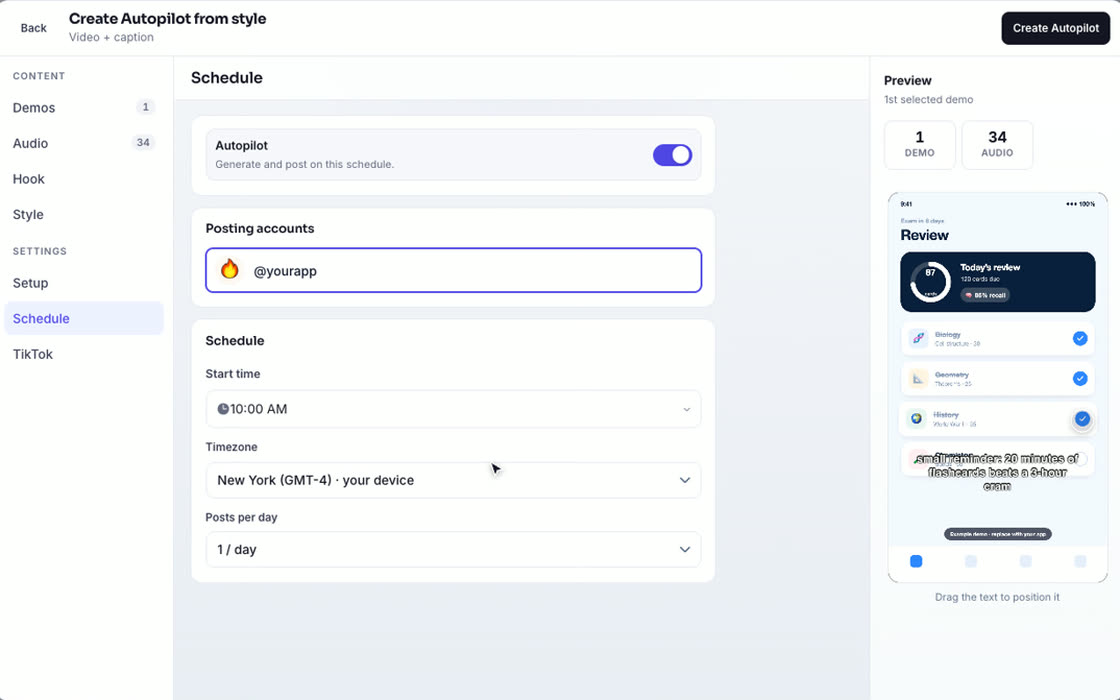
How to schedule posts using different Autopilot formats
After connecting your account, you can create posts in different formats:
- Hook & Demo: Set a hook text and schedule a demo directly related to what you offer.
- Slideshow Posts: Choose images and write accompanying text to create engaging listicles.
Tips for balancing Autopilot scheduling with manual posts
While Autopilot features save time and increase post frequency, consider keeping some room for spontaneous, timely content. Engagement is key. You can highlight special events or announcements by generating a manual post when necessary.
Sample posting schedule:
- Monday: 1 Hook & Demo at 1 PM
- Wednesday: 2 Slideshow posts at 11 AM and 4 PM
Crafting Compelling TikTok Hooks and Captions
Hooks and captions are essential elements that determine if a viewer will engage with your content. Here are some best practices:
The importance of hooks in app marketing videos
Hooks grab attention, providing a prompt that compels users to watch your video to completion. For app marketing, this is especially crucial; a good hook can make the difference between a scroll and a download.
Using ClipsPilot's AI to generate engaging hooks
ClipsPilot’s AI writes new hook variations on every run from the hook direction you set, and Analytics › What's working shows which hooks earn more views, so you can steer the next batch toward them.
Best practices for writing captions that convert
Keep them clear, concise, and relatable to your app's audience while encouraging users to take action.
Examples of hooks:
"Is your phone slowing you down? Discover how our app boosts performance!"
Reviewing and Managing Your Drafts Effectively
Drafts play an essential role in quality assurance before your content goes live.
Here’s how to manage them effectively:
How to use drafts to review content before posting
- Send your scheduled content to drafts.
- Review each piece for clarity, quality, and context.
Best practices for making adjustments to improve performance
Look at your engagement metrics to determine what works and what needs tweaking before posting.
Setting up a review schedule to maintain content quality
Plan times each week or month to assess your drafts thoroughly.
Checklist for reviewing drafts:
- Check for engagement potential.
- Ensure brand alignment.
- Analyze timing.
Analyzing Performance Metrics on TikTok
Measuring engagement metrics allows you to refine your TikTok strategy continuously. Here’s what to track:
Key metrics to track for app-focused TikTok content
- Views
- Completion rates
- Profile visits
- Link clicks
How to use data to refine your scheduling strategy
Adjust the frequency and timing of your posts based on viewer activity and engagement trends.
Understanding TikTok analytics tools for deep insights
Leverage the insights provided in TikTok’s analytics dashboard to guide your content approach.
Sample metric analysis (illustrative): "Posts with on-screen captions averaged more views than posts without them over the last two weeks, so keep captions on and test them again next month."
Common Pitfalls to Avoid When Scheduling TikTok Posts
Identifying potential issues in your strategy can save your marketing efforts from stagnation. Here are some pitfalls:
Overposting vs. underposting: finding the right balance
Too much content might overwhelm your audience, while too little can lead to loss of interest and growth stagnation.
Avoiding content fatigue with diverse Autopilot formats
A mix of content formats keeps your audience intrigued and engaged. Rotate through the available formats for variety.
Managing multiple accounts without losing focus
Stay organized with a clear schedule for each account. Use the content calendar to ensure consistency across all your profiles.
Illustrative example: "If posting 10 times/week, use 4 different formats to keep content fresh."
FAQ
What is the best TikTok scheduling tool for app founders?
ClipsPilot is highly recommended due to its unique automation features for app content creation and posting.
How can I schedule TikTok posts without losing quality?
Focus on creating engaging content, utilize AI for hooks, and review drafts for consistency.
Is it worth using a scheduling tool for TikTok?
Yes, it significantly enhances content management and helps maintain a consistent posting schedule.
How do I maximize engagement when posting on TikTok?
Use compelling hooks, regular analytics reviews, and a balance of creative formats to maintain viewer interest.
Can I automate TikTok posting for multiple accounts?
Yes, tools like ClipsPilot allow for managing several TikTok accounts efficiently.