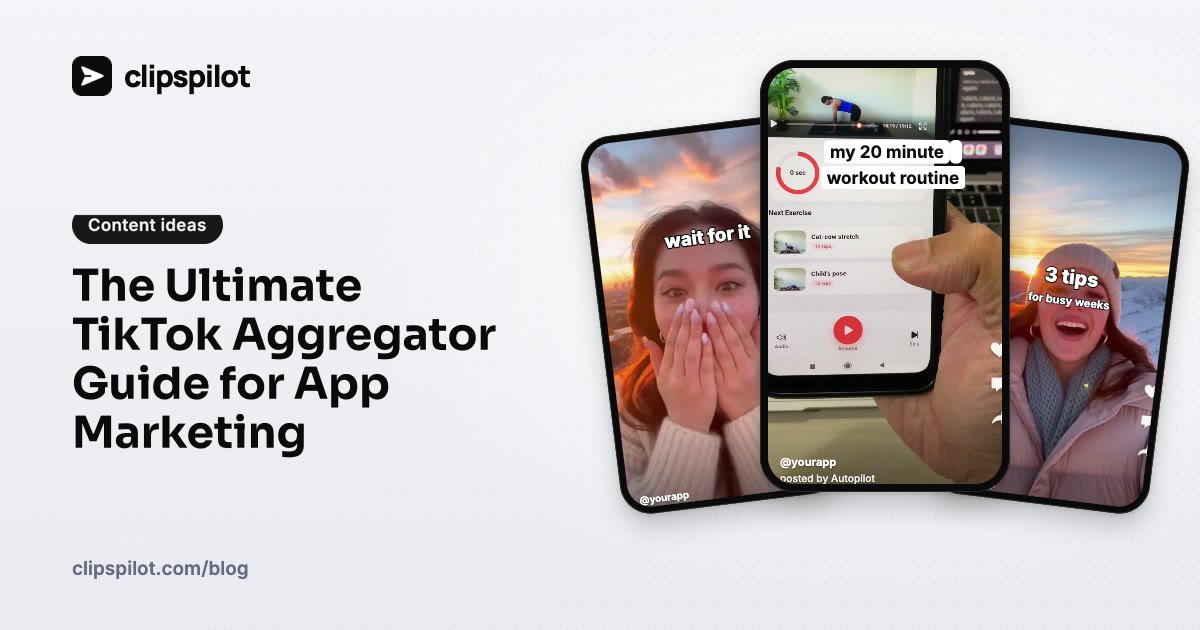
The Ultimate TikTok Aggregator Guide for App Marketing
Learn how to effectively aggregate TikTok content for app marketing success.
What is a TikTok Aggregator and Why is it Essential for App Marketing?
A TikTok aggregator is a tool or system that collects TikTok videos, trends, insights, and user-generated content into a manageable format. For app marketing, aggregators can help you understand emerging trends, audience preferences, and content styles that resonate with users.
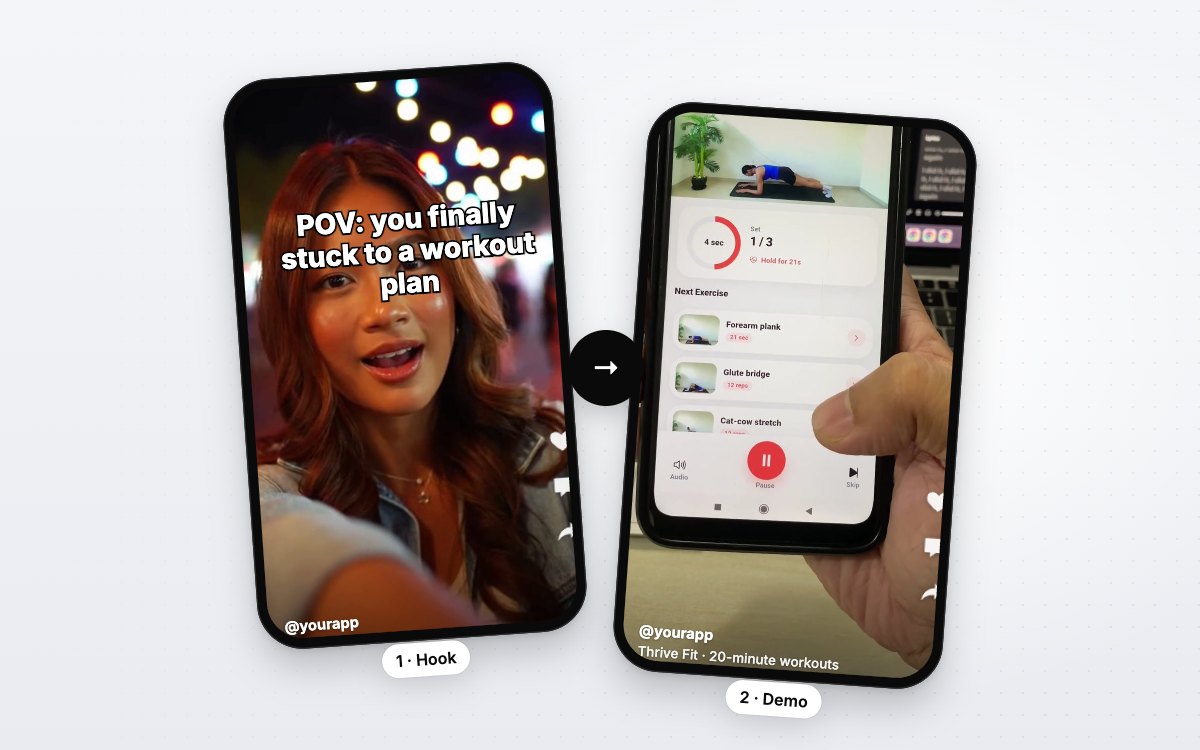
Why is Aggregating TikTok Content Important?
- Insight Gathering: By closely monitoring trending content, you can gather valuable insights about what types of videos engage viewers. This helps inform both your content strategy and overall marketing campaigns.
- Content Trend Identification: TikTok trends are shifting constantly, and staying updated allows your app to ride the wave of popularity. Knowing what's trending means you can join conversations naturally and increase visibility.
- Boost Visibility: TikTok is a platform where virality can quickly lead to downloads. Apps that leverage popular content themes or trends can gain visibility and attention.
Artifact
Example: List of trending TikTok challenges related to apps.
- Challenge: #AppChallenge – Users demonstrate unique uses of specific apps.
- Opportunity: Create demo TikToks showing how users can benefit from your app, integrating challenges into your marketing strategy.
Setting Up Your TikTok Aggregator Workflow
Creating a structured workflow to aggregate TikTok content requires intentional steps. Here’s how:
1. Identify Target Audiences and Niche Markets
- Understanding Demographics: Define who your target users are. Are they students, young professionals, or parents? This will dictate your content choices. Use TikTok analytics to learn more about your existing audiences.
- Market Segmentation: Segment potential users by interests, behaviors, and preferences (e.g., fitness apps targeting health-conscious individuals).
2. Gather TikTok Content Using Aggregation Tools
- Tools to Consider: Use tools like TikTok’s native search feature and third-party aggregators to capture data from trending videos. Applications like Hootsuite can also help in monitoring trends.
- Content Types: Focus on engaging video formats, user testimonials, and challenge participation. Save at least 10-20 examples that showcase effective engagement.
3. Organize Content Based on Engagement Metrics
- Create a Spreadsheet: Use Excel or Google Sheets to log key data points for each TikTok, such as engagement rates, viewer demographics, and content categories. This will serve as a reference for future posts.
- Example Column Headers:
- Video Link
- Likes
- Shares
- Comments
- Use Case (how it aligns with your app)
Artifact
Template: Content Calendar for TikTok Aggregation
| Date | Content Type | Video Link | Engagement Metrics | Post Date |
|---|---|---|---|---|
| MM/DD | Challenge | [link] | Likes: X, Shares: Y | MM/DD |
Converting Aggregated Content into Engaging TikTok Posts
Once you have aggregated content, convert it into engaging TikTok posts using these techniques:
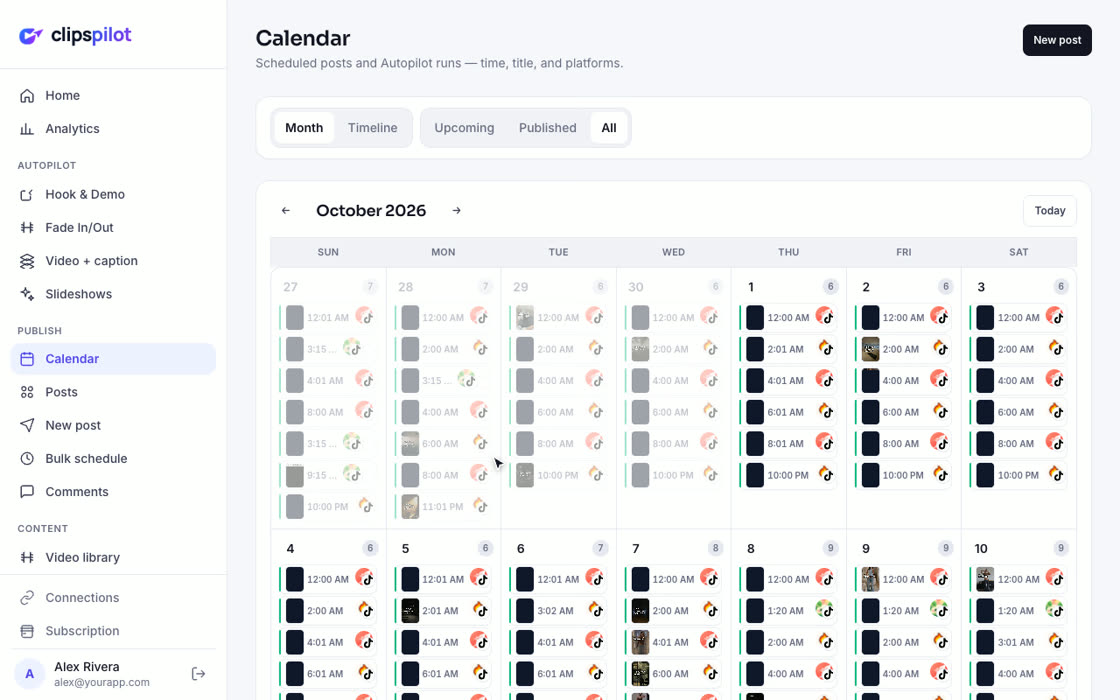
1. Techniques to Transform Aggregated Video Clips
- App Showcase: Take engaging moments from aggregated clips and create short demos focusing on how your app solves a problem featured in the video.
- User Format: Use styles that resonate, like transformation videos showing before and after scenarios using your app.
2. Creating Compelling Hooks from Trends
- Actionable Hooks: Use language from trending videos but plug in your app’s features directly to enhance relatability.
- Emotional Engagement: Craft hooks that elicit strong reactions: surprise, humor, or empathy, as these tend to perform better.
3. Visual and Text Formatting for Maximum Engagement
- Text Overlay: Ensure your on-screen text is large, easy to read, and contrasts effectively with your video backgrounds.
- Engaging Thumbnails: Create engaging thumbnails to enhance the likelihood of clicks on your posts.
Artifact
A before-and-after example TikTok post:
Before: A raw user video showcasing confusion about using an app.
After: Cleanly edited demo of the same app with a compelling testimonial overlay.
Crafting Captions and Hooks that Convert
Writing effective captions is as crucial as the video content:
1. The Art of Writing Captions
- Focus on Benefits: Rather than showcasing features, highlight the tangible benefits users can achieve with your app.
- Length Matters: Create concise captions that can be fully read within the first second someone views the video.
2. Utilizing Popular TikTok Hooks to Attract Users
- Incorporate Trending Phrases: Adapt trending phrases from popular videos directly into your posts. This relatability can draw users in.
- Common Questions: Pose questions relatable to your audience’s pain points that the app addresses.
3. Incorporating CTA Elements Effectively
- Direct Calls to Action: End your captions with powerful CTAs. Instead of merely asking users to “check out” the app, prompt them with “Download now for 20% off your first subscription!”.
Artifact
10 Sample Hooks Tailored for App Marketing:
- “POV: You’re finally organizing your life.”
- “This app transformed my productivity in just one week.”
- “Want to save an hour a day? Here’s how!”
- “Stop losing track of your subscriptions with this.”
- “The easiest way I found to budget every month.”
- “Did you know you could automate this process?”
- “Here’s how I cut my daily screen time in half!”
- “POV: Your problem is actually easier to solve than you think.”
- “Ever wonder how some people manage their time? It’s this.”
- “Tired of your routine? Let’s change that!”
Developing a Feedback Loop from Your Aggregated Content
Once your posts go live, it’s crucial to track their performance and adapt accordingly:
1. Analyzing Performance Metrics
- Core Metrics: Focus on views, likes, shares, and comments to derive which videos perform best.
- Audience Insights: Use TikTok’s analytics to learn more about who is engaging with your content.
2. Adjusting Content Strategies Based on Engagement Rates
- Refine Content Types: If one format performs exceptionally well—like Hook & Demo—then allocate more resources to that style.
- Audience Targeting: Modify audience targeting by using insights gleaned from your analytics to cater content more specifically.
3. Creating A/B Tests to Enhance Future Posts
- Experiment: Test different hooks, video lengths, and formats to comprehend what works best for engagement.
- Gather Data: Collect data systematically over a month to inform your content strategy going forward.
Artifact
Worksheet: Log TikTok post performance metrics and actionable insights for improving future content.
| Date | Video Link | Likes | Shares | Saves | Comments | Insights | Adjustments Needed |
|---|---|---|---|---|---|---|---|
| MM/DD | [link] | X | Y | Z | A | Insights found | Notes for change after review |
Scaling Your TikTok Aggregation Strategy with Automation Tools
To efficiently manage your TikTok content and posting, consider using automation tools:
1. Overview of Automation Tools
- Suggested Tools:
- ClipsPilot: Automates TikTok post generation, including content creation based on user uploads and trending themes.
- Later or Buffer: Useful for scheduling collected content to maintain visibility.
2. Best Practices for Using ClipsPilot
- Custom Schedules: Set specific posting schedules based on when your audience is most active.
- Multiple Accounts: Utilize ClipsPilot to manage several accounts in one place without duplication.
3. Maintaining Brand Consistency Across Accounts
- Consistent Branding: Use a uniform tone and style for videos across accounts to fortify brand identity.
Artifact
Checklist for Setting Up Automations in ClipsPilot:
- Connect TikTok account(s)
- Define Autopilot settings (frequency, themes)
- Plan out content calendar
- Review drafts for harmful messaging
- Run weekly metric reviews
FAQ
Question: What are the best TikTok aggregator tools for beginners?
Answer: For beginners, tools like TikTok’s search feature and third-party platforms like Hootsuite can serve as effective aggregators.
Question: How do I measure the success of my TikTok posts for app marketing?
Answer: Use TikTok analytics focusing on views, engagement rates, and profile visits to assess the effectiveness of your marketing posts.
Question: Can I use trending TikTok soundtracks for my app demos?
Answer: Yes, using popular sounds can enhance your visibility and engagement; just ensure they align with the content of your video.
Question: What types of TikTok content are most effective for app marketing?
Answer: Formats like Hook & Demo videos, photo slideshows, and user testimonials perform well by demonstrating clear use cases.